

Knowledge AI Analytics
The Knowledge Agent operates in the background, analyzes closed cases to identify opportunities for knowledge creation, and generates article drafts. Once an opportunity is identified, the agent creates a draft. The AI Knowledge Agent Activity Insights report displays:
-
Knowledge Creation Opportunities: Each new closed case is a knowledge creation opportunity.
-
Drafts: The actual number of drafts created. This number is roughly equal to the number of Knowledge Creation Opportunities.
To view the AI Knowledge Agent Activity Insights report, first select AI Knowledge Agent from the Select Agent dropdown.
By default, the report shows data for all Knowledge Agents across for a month.
Use the Agent filter (there can be multiple Knowledge Agents in a Suite) to view data for a specific agent or agents.
Use the Date Filter to view data for a particular time period.
After selecting the desired filters, click Apply to update the report.
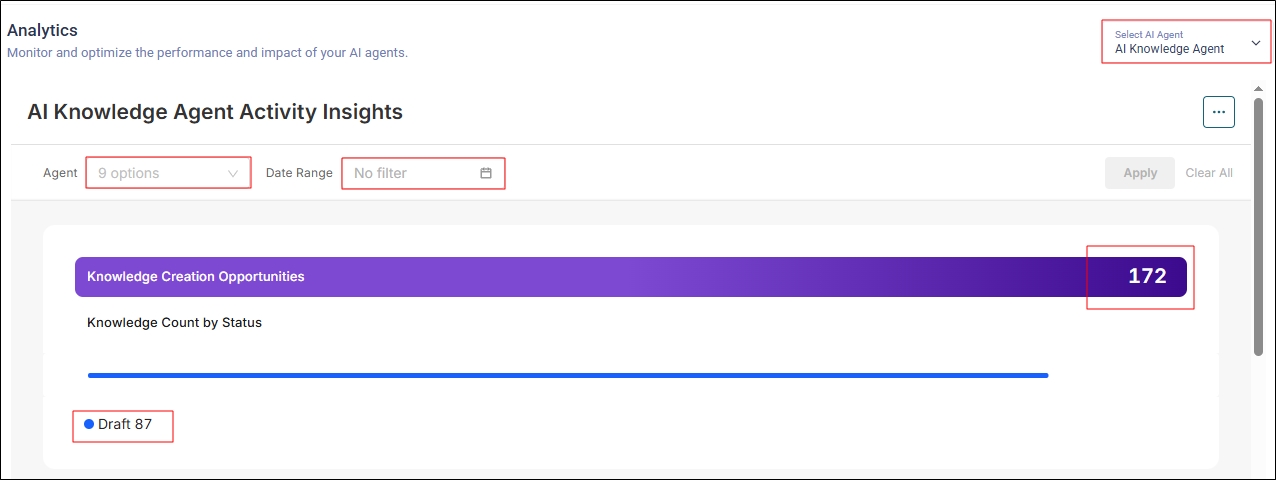
Fig. A snapshot of the AI Knowledge Agents Activity Insights report.
The next report is a bar graph that displays Knowledge Creation Opportunities and Drafts created over the past four weeks. You can change the time period using the Date Range filter.
Click on Total Opportunities to view only the number of cases closed over the past four weeks, or click on Draft to view the number of drafts created during the same period. Selecting All displays both opportunities simultaneously. Clicking on Inv reverses the data:
-
If Total Opportunities is selected, clicking on Inv will display the Drafts.
-
If All is selected, clicking on Inv will display no data.
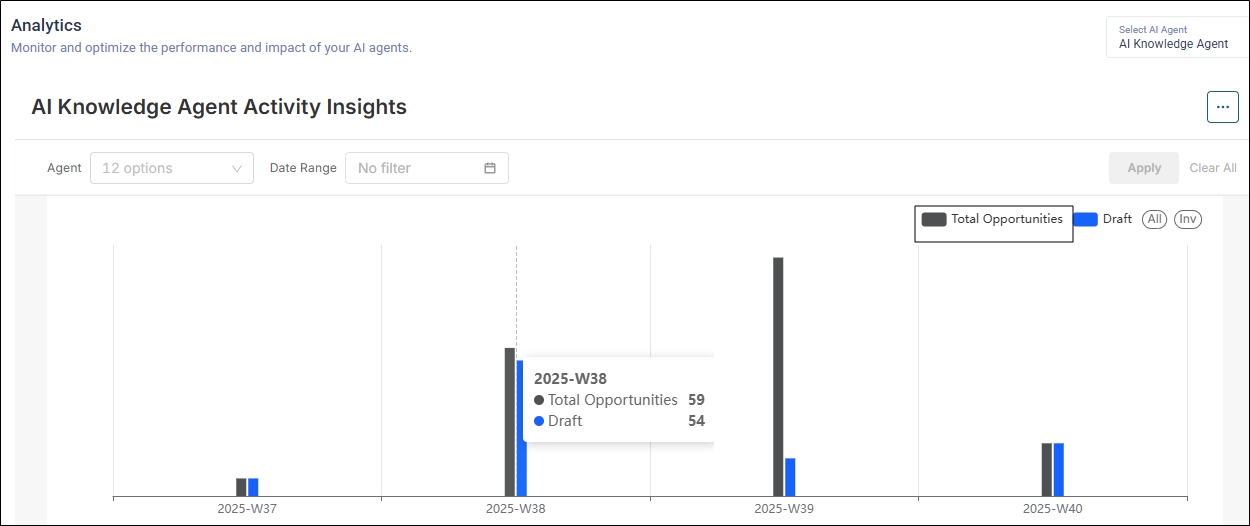
Fig. A snapshot of the AI Knowledge Agents Activity Insights report as a bar graph.