AI Support Agent Analytics — Overview
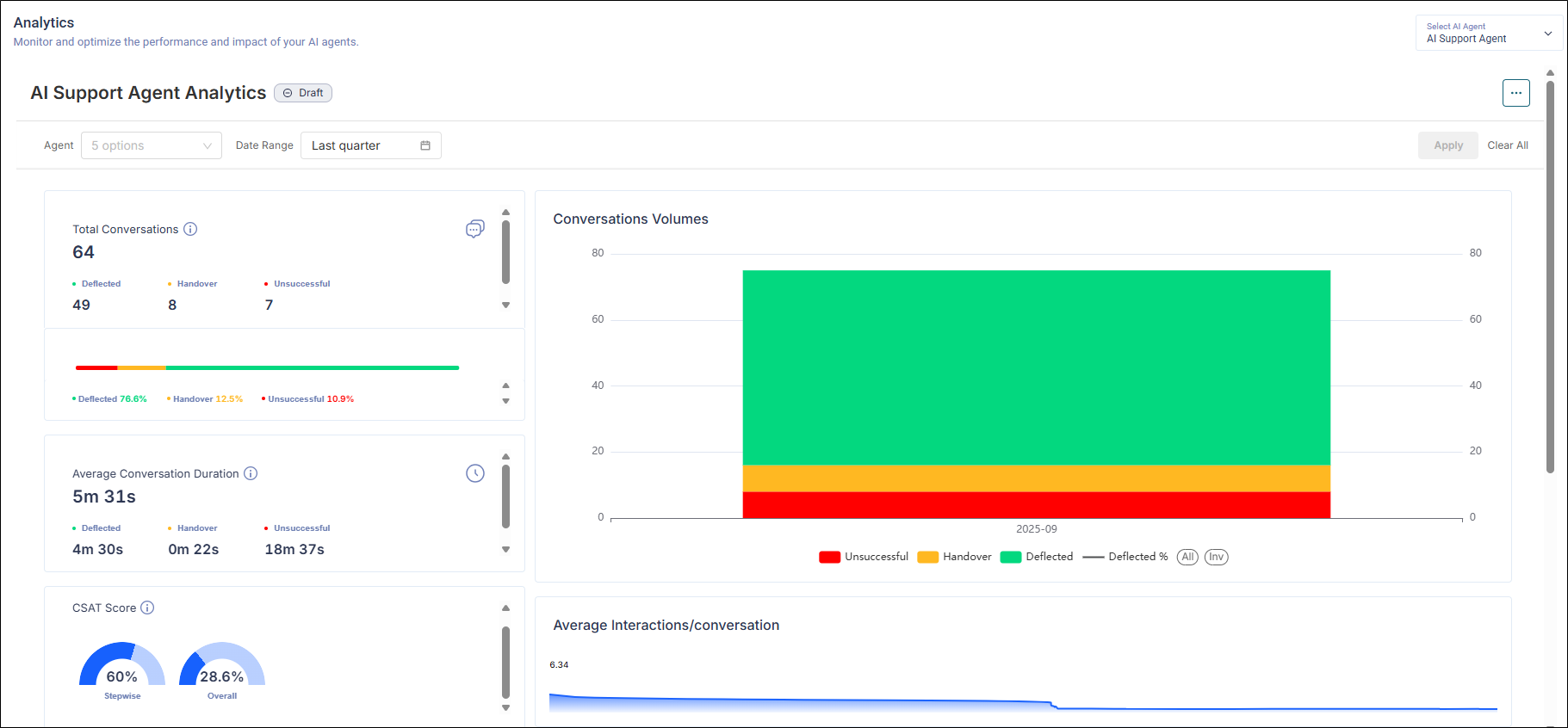
AI Support Agent Analytics provides a high-level view of how your agent is performing. Use it to monitor volumes, outcomes, efficiency, satisfaction, and drill into individual conversations.
Note: The figures shown in the screenshot are illustrative only. Your environment will display live data.
Filters
-
Agent: Choose one or more AI agents to analyze.
-
Date Range: Select the reporting window (e.g., Last quarter).
Notes & Definitions
-
Deflected: AI resolved the issue without human intervention.
-
Handover: AI escalated to a human agent (live agent flow must be integrated/enabled).
-
Unsuccessful: The session ended without resolution or proper handoff.
-
CSAT: Post-conversation satisfaction metric, if enabled for your implementation.
Total Conversations
The report shows the number of conversations in the selected period based on the outcome breakdown, including:
-
Deflected (green): Resolved by AI without human handoff.
-
Handover (orange): Escalated to a human agent.
-
Unsuccessful (red): Neither resolved nor successfully handed over.
Average Conversation Duration
The report shows the mean time the agent was used per conversation. The report is further bifurcated based on the outcome averages separately, like for Deflected, Handover, and Unsuccessful conversations.
Conversations Volumes
It shows the count of conversations by outcome highlighted in green, orange, and red over the selected duration. The colors represent:
-
Deflected (green)
-
Handover (orange)
-
Unsuccessful (red)
Hovering on the graph also shows the Deflection Percentage. This helps admins identify the conversational effort (lower indicates faster resolution and higher indicates complexity.
CSAT Score
CSAT captures the satisfaction score from users using the positive feedback. It is segmented into two parts:
-
Stepwise highlighting the feedback (thumbs up/thumbs down) on the responses.
-
Overall highlighting the feedback left before the end of a conversation.
Both are calculated using the following formula:

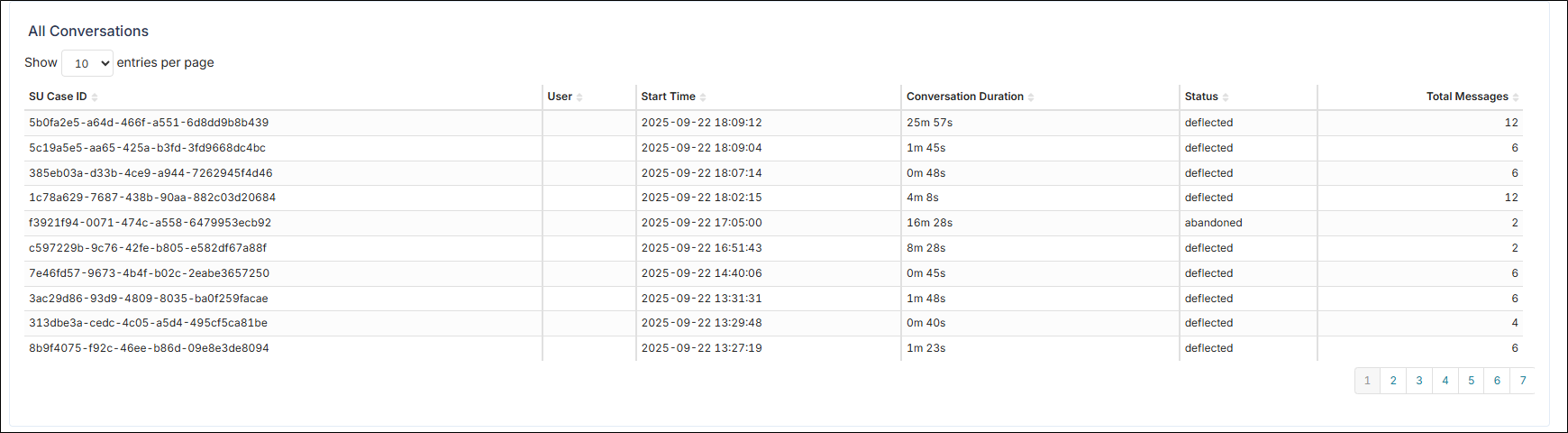
All Conversations
The report consists of the following columns:
-
SU Case ID: Unique identifier of the conversation/session.
-
User: End user (or anonymized ID) who initiated the conversation.
-
Start Time: Conversation start timestamp.
-
Conversation Duration: Total elapsed time.
-
Status: Final outcome (e.g., deflected, handover, unsuccessful, abandoned).
-
Total Messages: Number of exchanged messages.