

Installing SearchUnify AI Support Agent in Zendesk Guide
This guide walks you through the steps of installing the SearchUnify AI Support Agent on your Zendesk Guide (Help Center). After the installation, you can enhance self-service with SearchUnify Agentic Suite capabilities.
Prerequisites
-
An active Zendesk account with Guide enabled
-
Access to Guide Admin and the ability to Customize/Edit theme code
Installation Steps
-
Log in to your Zendesk account.
-
Using
 , click Knowledge to open the knowledge dashboard.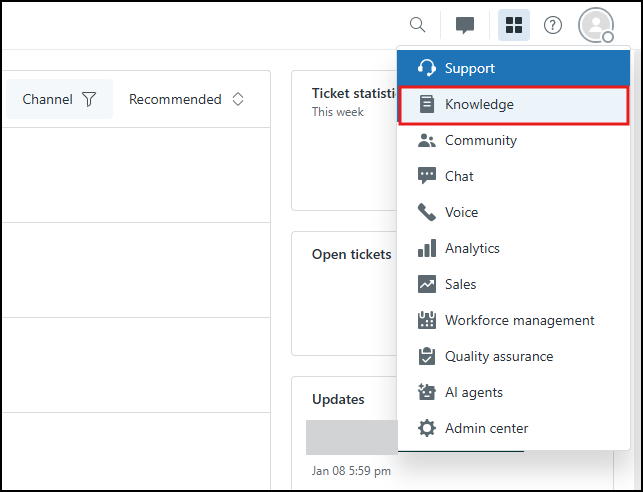
-
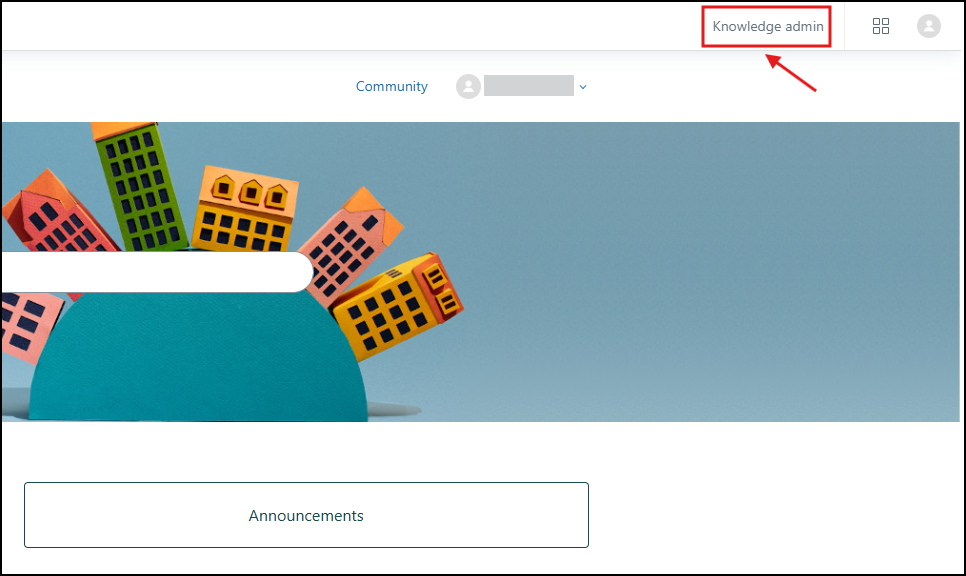
From the Knowledge dashboard, click Knowledge admin.
-
Go to the Customize design (
 ) section and click Customize for the theme you want to modify.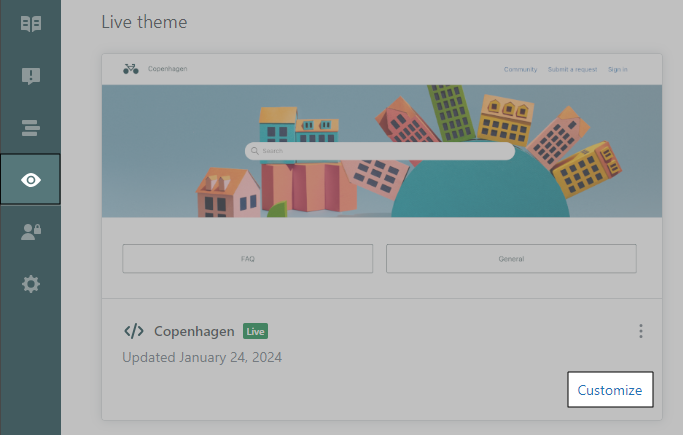
-
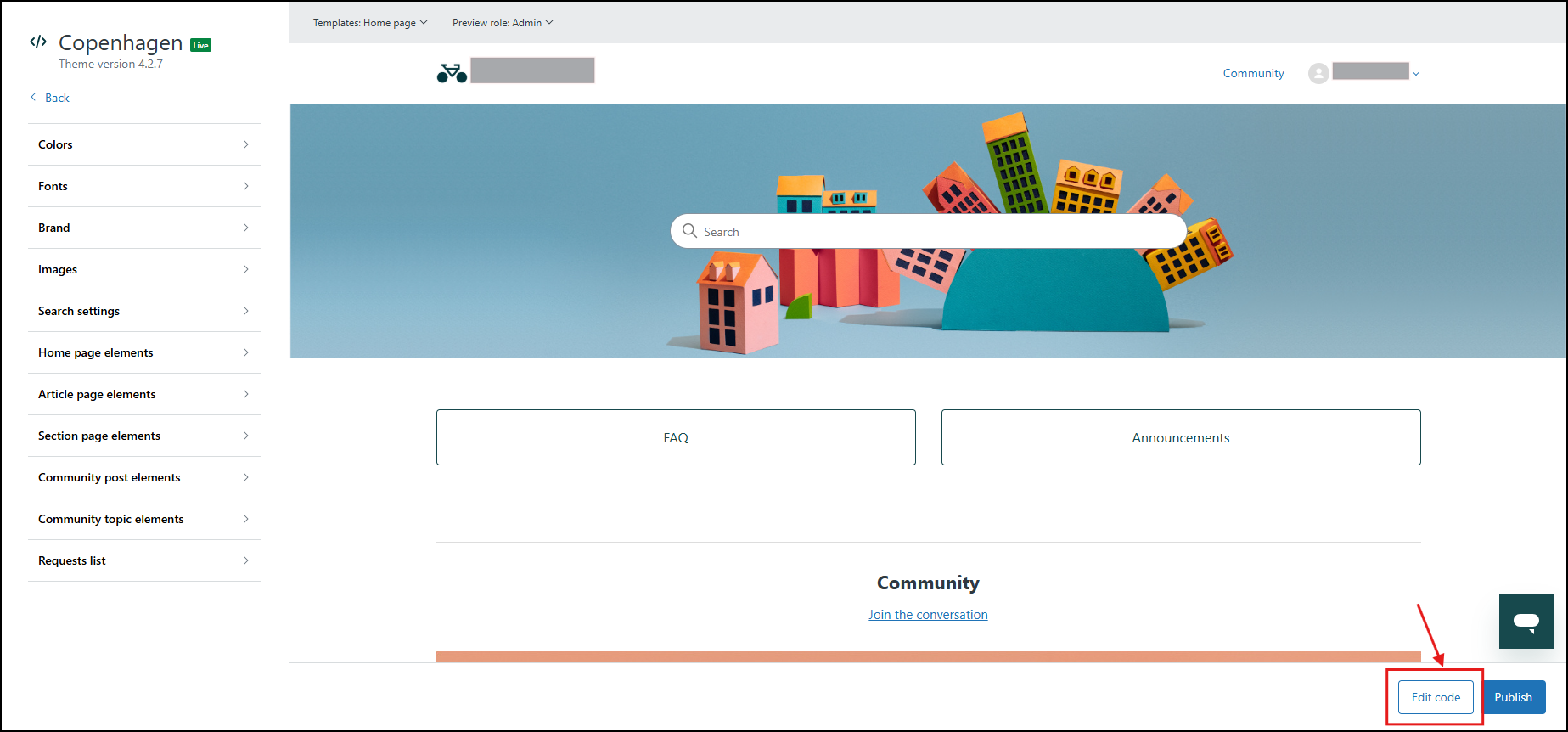
Click Edit code to open the theme editor.
-
You can add the AI Support Agent on a custom page or an existing page template (wherever you want the agent to render).
Put the HTML script given in the Steps to Deploy in the Deployment section of your Agent in the page/template.
-
Click Publish in the theme editor to push changes live.
Usage
-
Open your Zendesk Guide (Help Center).
-
Navigate to the page/template where you added the AI Support Agent.
-
The AI Support Agent should now load and be ready for use.