

SearchUnifyGPT™ Engagement
The SearchUnifyGPT™ Engagement report measures search user interaction with answers generated by SearchUnifyGPT™ in three tabs:
-
Read Answers captures user engagement with the GPT-generated responses. Each click on Show More is counted as a read. The report displays the search queries that triggered SearchUnifyGPT™ along with their corresponding answers.
-
Citation Clicks captures user engagement with the citation links inside the GPT-generated answers. Each click on a citation is counted as an engagement. This report includes the search queries, generated answers, and the clicked citation URLs. If multiple citations are clicked in a single answer, each click is counted separately.
-
Copied Answers captures user engagement with the Copy feature on the GPT-generated answers. Each click on the Copy button is considered as an engagement. The report shows the search queries that triggered the answers and the content copied by users.
This report is available in Analytics > Search Analytics > Overview. Scroll down to locate the SearchUnifyGPT™ Engagement report.
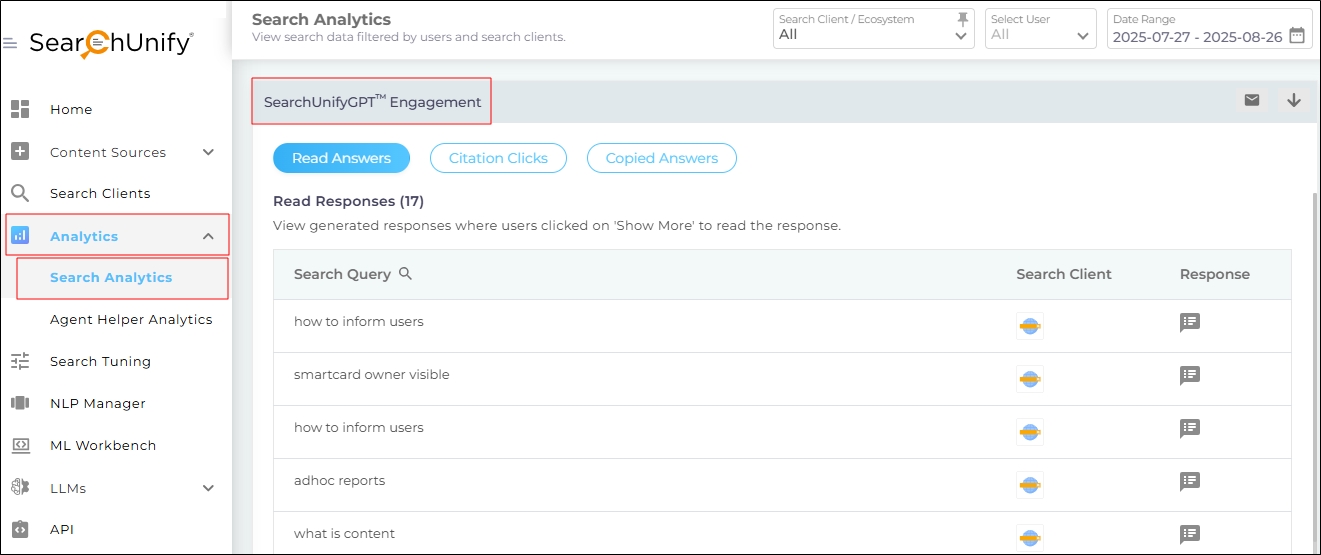
Fig. The SearchUnifyGPT™ Engagement report in the Analytics module.
Activation
To activate the SearchUnifyGPT™ Engagement report, enable SearchUnifyGPT™ from Search Client Configurations. .
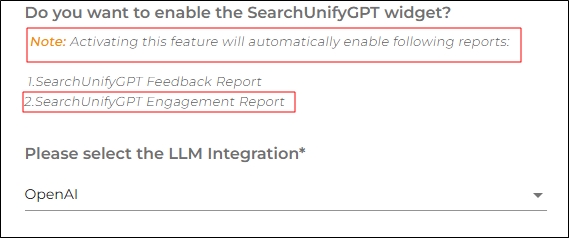
Fig. A snapshot of the dialog which activates the SearchUnifyGPT™ Engagement Report.
SearchUnifyGPT™ Engagement Metrics
There are three tabs in the SearchUnifyGPT™ Engagement report. Each tab has a dedicated dedicated section.
Read Answers
Read Answers is the first tab in the SearchUnifyGPT™ Engagement Metrics report. It contains the following information:
-
Read Response displays the total number of answers read by users. Each click on Show More is considered a click.
-
Search Query displays the the query that triggered the SearchUnifyGPT™-generated answer. This column is searchable, allowing users can look up a specific query and view its corresponding answers.
-
Search Client displays the search client where the SearchUnifyGPT™-generated answer was displayed. Users can view the search client name and UID by hovering the cursor over the search client icon.
Note. This column appears only if All is selected in the Search Client/Ecosystem dropdown.
-
Response contains the SearchUnifyGPT™-generated answer. Users can click on the text icon in this column to view the full answer.
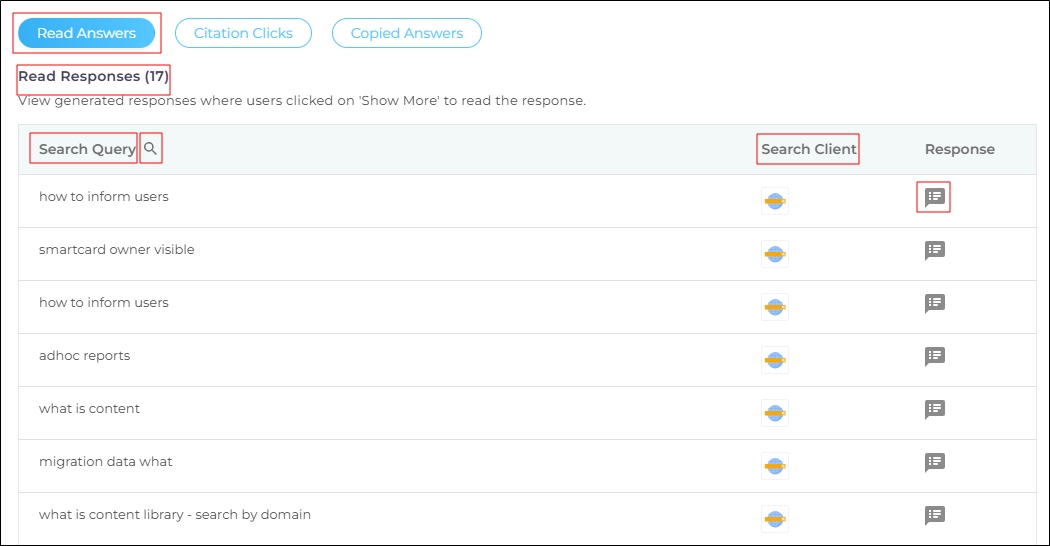
Fig. A snapshot of the “Read Answers” tab in the SearchUnifyGPT™ Engagement report.
Citation Clicks
Citation Clicks is the second tab in SearchUnifyGPT™ Engagement Metrics. It contains the following information:
-
Citation Clicks displays the total number of clicks on citations. Multiple clicks on a citation link by a user are considered as one click.
-
Search Query displays the query that triggered the SearchUnifyGPT™-generated answer. This column is searchable, allowing users to look up a specific query and view its corresponding answers.
-
Search Client displays the search client where the SearchUnifyGPT™-generated answer was displayed. Users can view the search client name and UID by hovering the cursor over the search client icon.
Note. The column appears only if All is selected in the Search Client/Ecosystem dropdown.
-
Response displays the SearchUnifyGPT™-generated answer. Users can click on the text icon in this column to view the full answer.
-
Clicked Citation displays the link of the citation that was clicked. Users can click on any citation to open the link. This column is searchable, allowing users to look up a citation by its URL or anchor text.
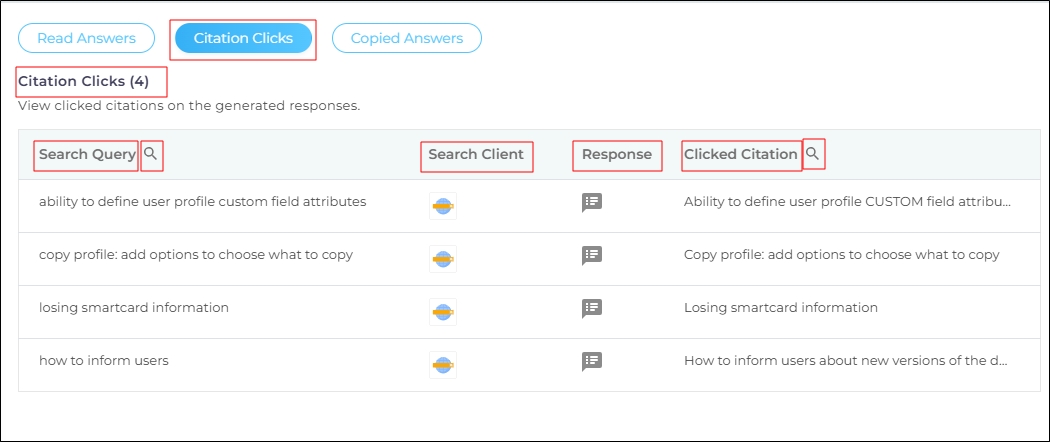
Fig. A snapshot of the “Citation Clicks” tab in the SearchUnifyGPT™ Engagement report.
Copied Answers
Copied Answers is the third tab in SearchUnifyGPT™ Engagement Metrics. It contains the following information:
-
Copied Answers displays the total number of SearchUnifyGPT™-generated answers copied by search users. Multiple clicks on the Copy button by a user in a single query are considered as one click.
-
Search Query displays the query that triggered the SearchUnifyGPT™-generated answer. This column is searchable, allowing users to look up a specific query and view its corresponding answers.
-
Search Client displays the search client where the SearchUnifyGPT™-generated answer was displayed. Users can view the search client name and UID by hovering the cursor over the search client icon.
Note. The column appears only if All is selected in the Search Client/Ecosystem dropdown.
-
Responsedisplays the SearchUnifyGPT™-generated answer. Users can click on the text icon in this column to view the full answer.
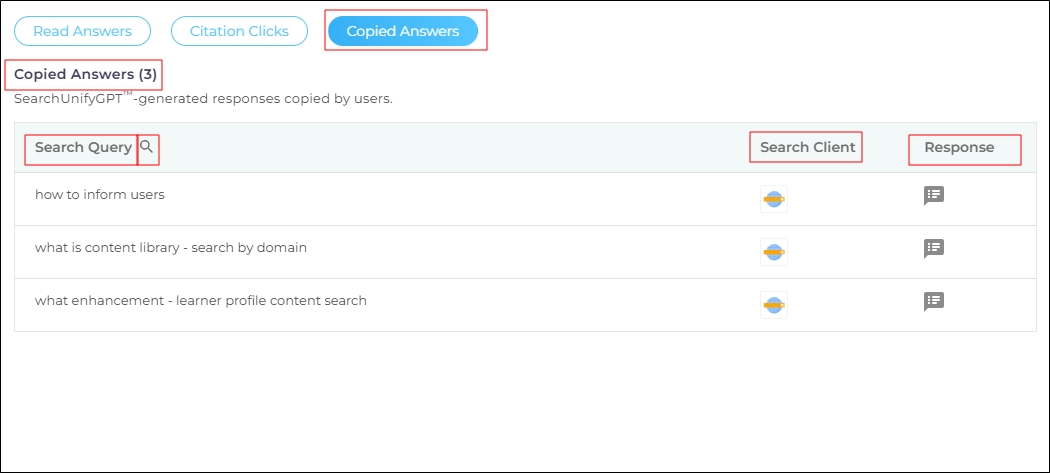
Fig. A snapshot of the “Copied Answers” tab in the SearchUnifyGPT™ Engagement report.
Engagement Trends
The Engagement Trends report provides insights into long-term user engagement patterns. You can view the engagement with answers, citations, and the copy function over a month or a quarter. To view the report, click Engagement Trends.
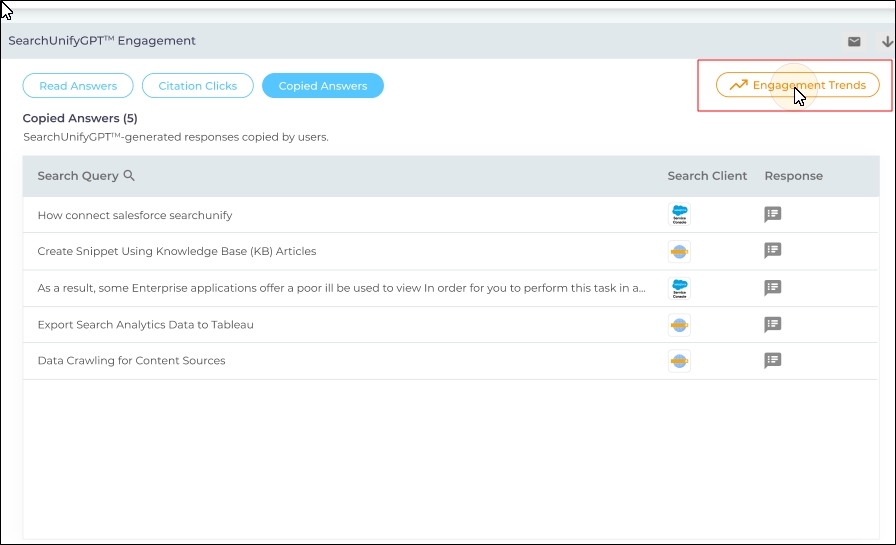
Five metrics are captured in Engagement Trends.
-
Generated Answers is the total number of answers generated by SearchUnifyGPT over a month or a quarter.
-
Read Answers is the total number of GPT-generated responses read by the users. Each click on Show More counts as a read.
-
Clicked Citations is the total number of clicks on citation links inside the GPT-generated answers. Each click on a citation is counted as an engagement. If multiple citations are clicked in a single answer, each click is counted separately.
-
Copied Answers is the total number of times GPT-generated answers are copied using the Copy function. Each click on the Copy button is considered as an engagement.
-
Engagement Percentage is the ratio of Read Answers to Generated Answers. It's calculated by the formula:

The engagement is captured in a single metric called Engagement Percentage, which is defined by the
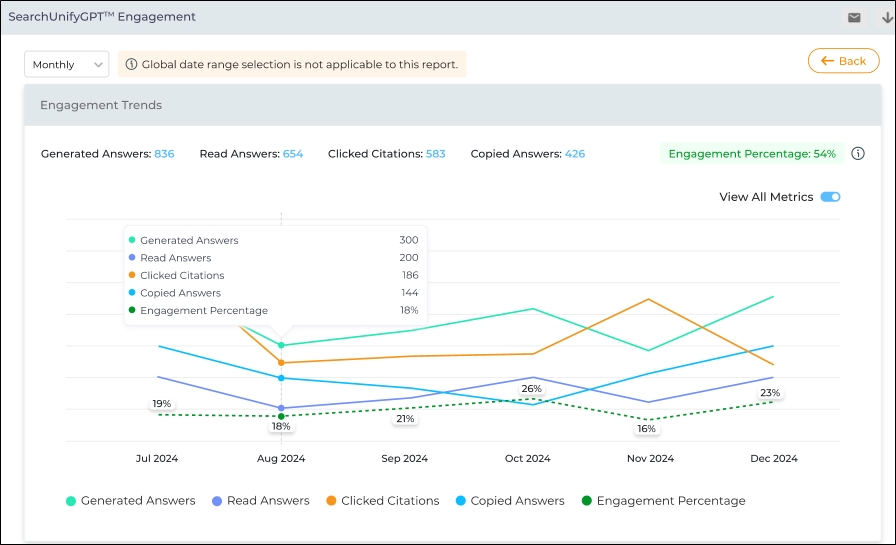
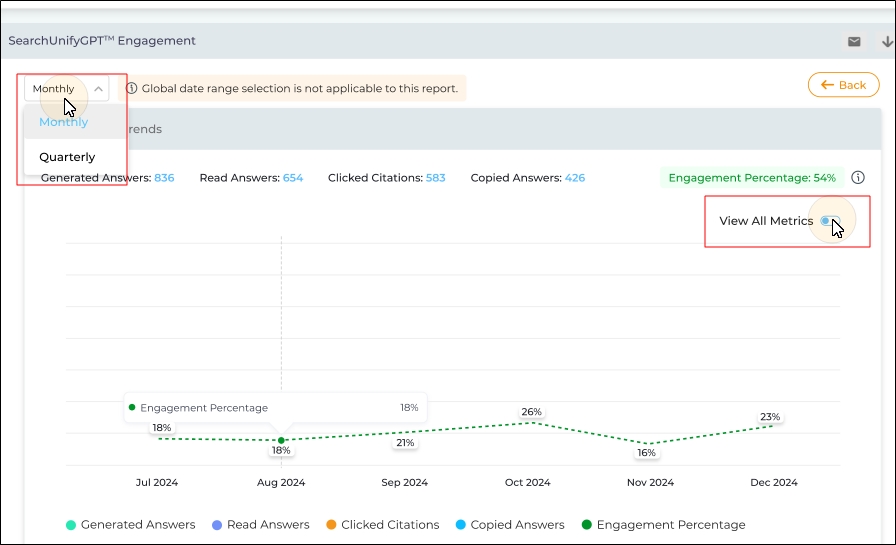
Use the View All Metrics toggle to either view the graph with all the metrics or only the graph for Engagement Percentage. The time period is selected by the Monthly or Quarterly dropdown.
Note: The Date Range menu has no impact on this report.
Download
The data for all the metrics can be downloaded or shared via email using the respective Download and Email icons. Currently, you cannot export data for the individual subreports.
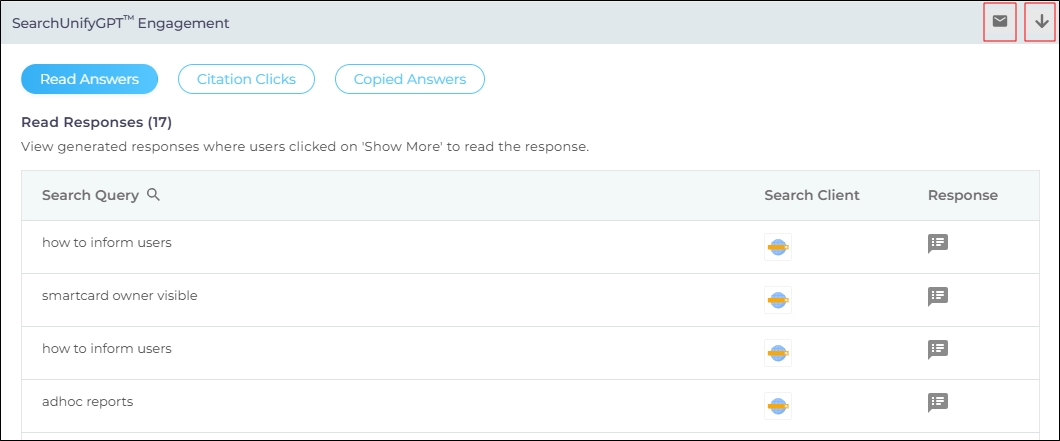
Fig. A snapshot of the Download and Email buttons in the SearchUnifyGPT™ Engagement report.