

SearchUnifyGPT™
This is a configuration in Search Clients > Edit > Configurations. To read about other configurations available under this tab, return to Basic Search Client Configurations.
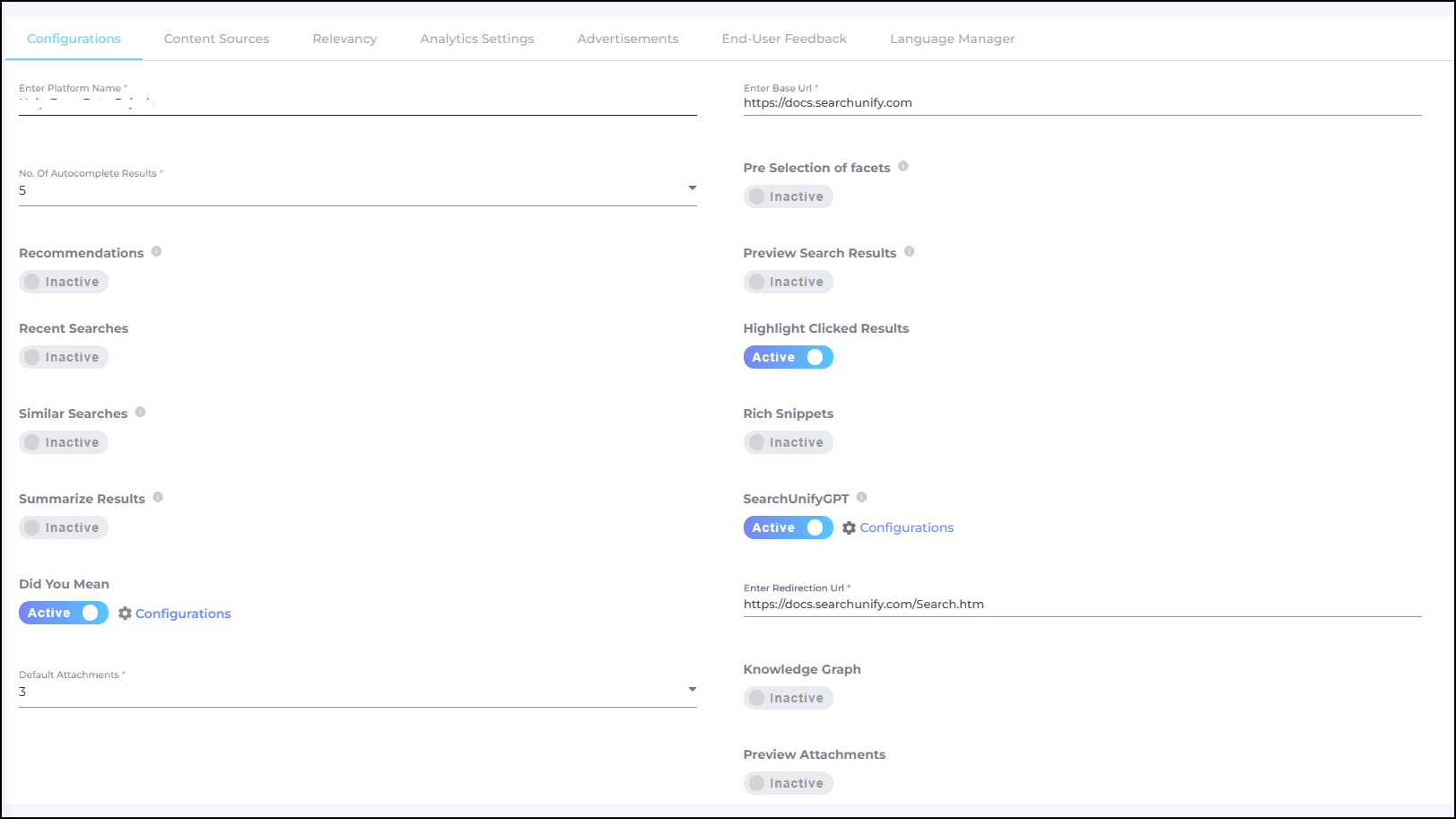
Fig. A snapshot of the Configurations tab in Search Clients.
SearchUnifyGPT™
SearchUnifyGPT™ is a generative AI widget that enhances the search experience by delivering highly relevant and informative results.
Key features
-
Works with Salesforce Console, Khoros, Salesforce Communities, Zendesk Console, Zendesk Guide, Zendesk Support, and all website search clients.
-
Includes hyperlinks to the sources used for generating answers, ensuring transparency.
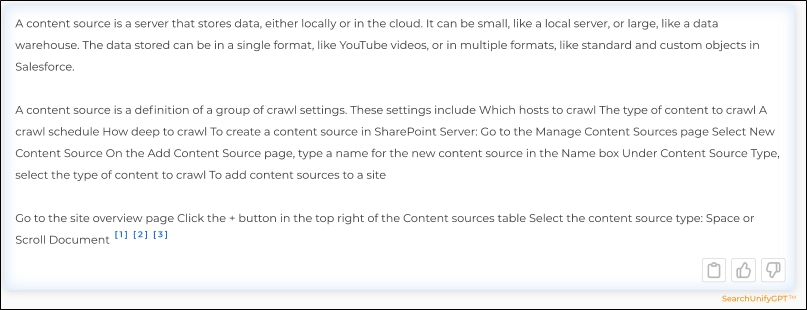
Fig. A snapshot of a SearchUnifyGPT™-generated answer.
Steps to Enable
If you haven't done it, then first connect SearchUnify to a Large Language Model (LLM) such as OpenAI and then follow the following steps. The instructions to connect SearchUnify with a third-party LLM are in Configure LLM Integrations.
-
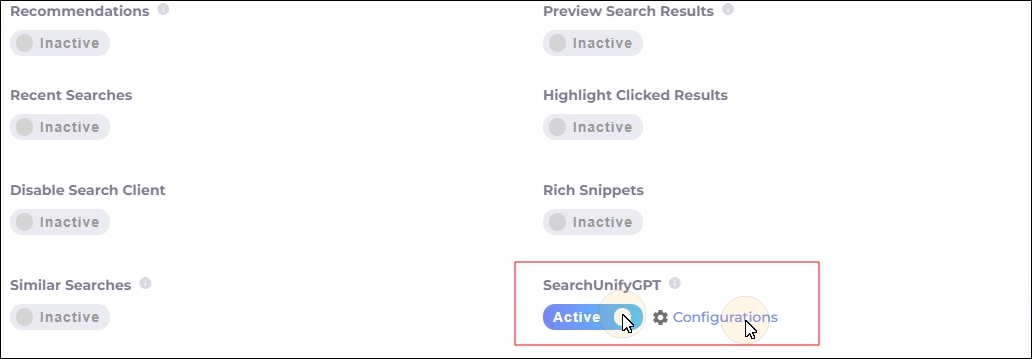
Navigate to Search Clients > Edit > Configurations.
-
Toggle SearchUnifyGPT™ to ON in the Configurations tab.
-
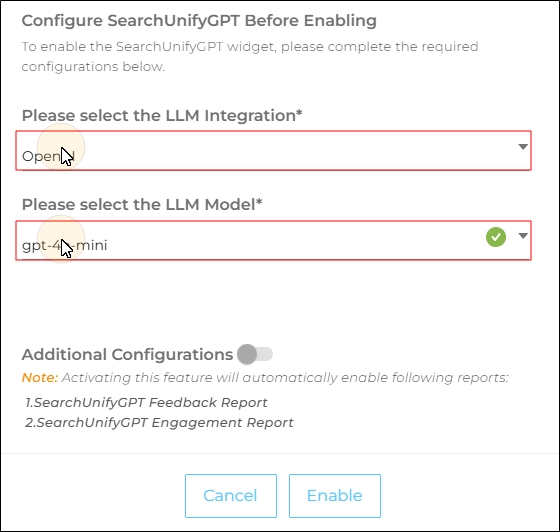
Select an LLM platform and a model from the dropdown.
-
Please select the LLM Integration*: Select an LLM platform.
-
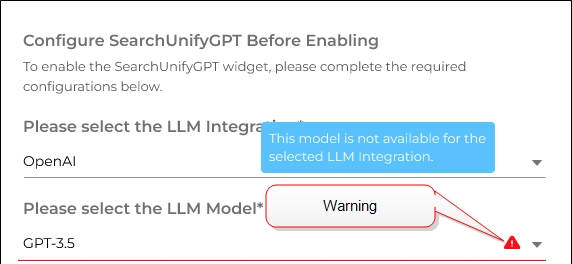
Please select the LLM Model*: Select an LLM model.
Note: If selected model isn't in your subscription, you will see a warning.
-
-
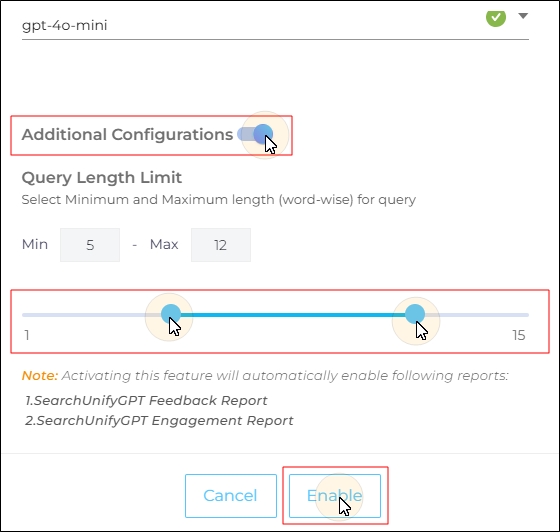
Scroll down to enable Additional Configurations. In this section, you’ll find the Query Length Limit configuration, which allows admins to define when SearchUnifyGPT™ should be triggered.
For example, if the slider is configured so that the Minimum query length is 5 words and the Maximum query length is 12 words, then SearchUnifyGPT™ will run only for search queries that are at least 5 words long but not longer than 12 words.
In such a scenario:
-
A query like [set up Salesforce content source] (5 words) will trigger a response in the SearchUnifyGPT™ widget.
-
A query like [set up Salesforce] (3 words) will not trigger SearchUnifyGPT™.
Note: Stopwords are not ignored. For example, the query [salesforce is a content source] is counted as a 5-word query.
The default values are:
- Minimum query length: 1 word
-
Maximum query length: 6 words
After defining the Minimum query length and Maximum query length, click Enable to activate the configuration.
Note: Two analytics reports are activated when you toggle on SearchUnifyGPT™ on a search client. The reports are:
-
Here's an example of SearchUnifyGPT™ on a Search Client:
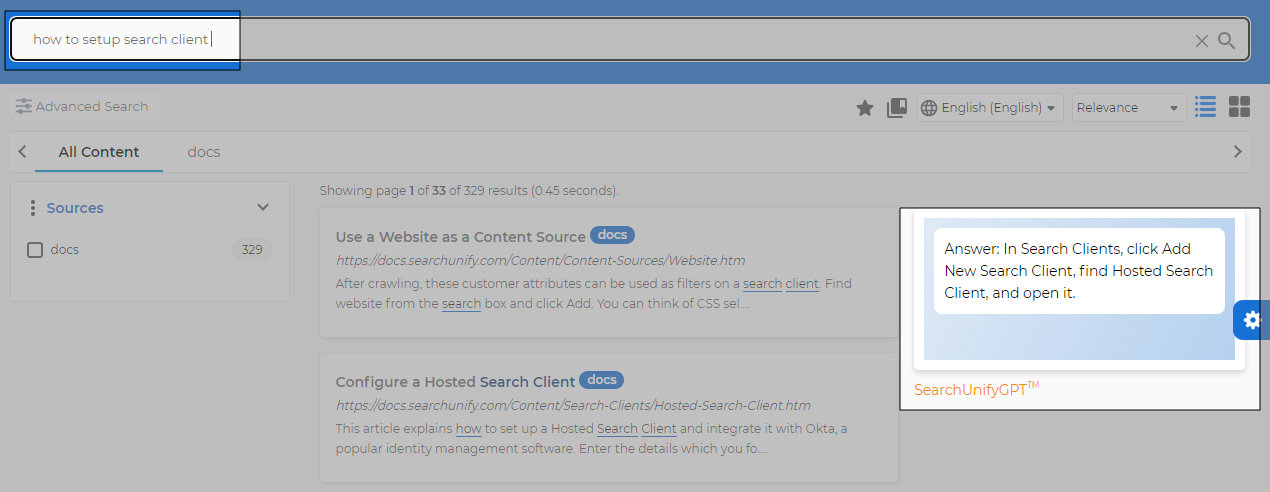
Fig. SearchUnifyGPT™ on a search client.
Differences from Rich Snippets
-
SearchUnifyGPT™ synthesizes information from multiple sources. Rich Snippets extract content from a single source.
-
Rich Snippets support multimedia; SearchUnifyGPT™ currently supports text-only answers.