

Capture Direct Pageviews in Session Journey
The Capture Direct Pageviews in Session Journey setting in Search Clients > Edit > Analytics Settings > Analytics Properties allows you to define the URL the URL for Direct Pageviews, where Direct Pageviews refers to those visits to web pages when the users land on it through means other than search.
Important: To enable Direct Page Views, a tracking script must be inserted into your platform. Contact customer support before activating this feature.
Direct Pageviews
Direct Pageviews refers to those visits to web pages when the users land on it through means other than search. Users may land on a page by:
-
Clicking a bookmarked link
-
Opening an email-shared article
-
Navigating to an article from the trending list on the homepage
Articles accessed through these methods, but not through search, are classified as Directly Viewed Articles.
A visit to a page can be considered a direct page visit only when the page on which the visit occurred has been defined in the Direct Regex field.
Activate Direct Pageviews
-
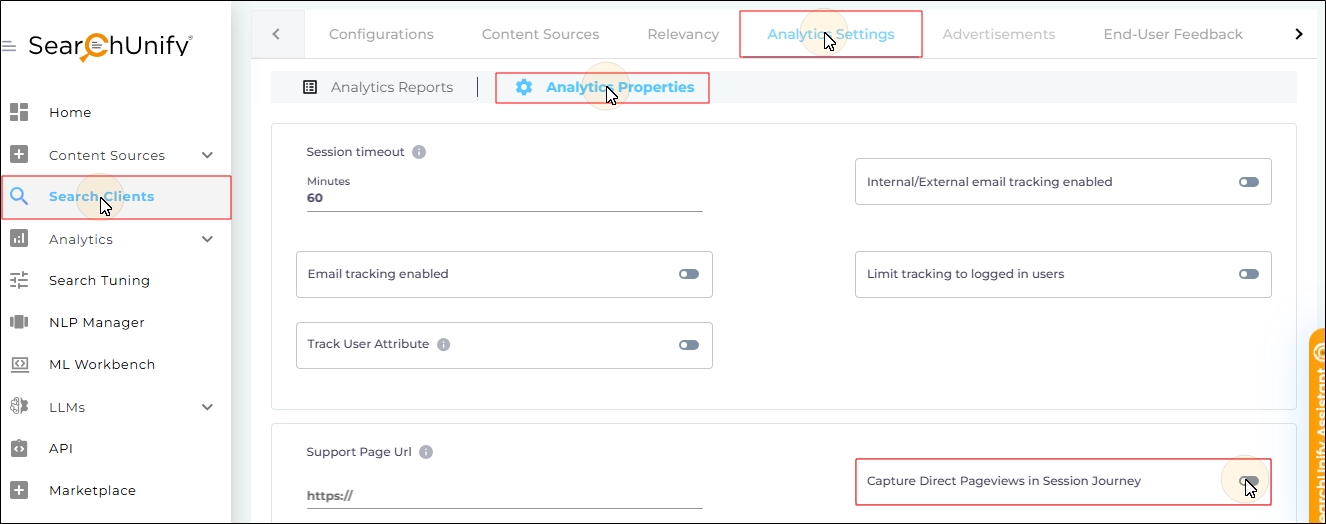
Navigate to Search Clients > Edit > Analytics Settings > Analytics Properties.
-
Enable Capture Direct Pageviews in Session Journey.
-
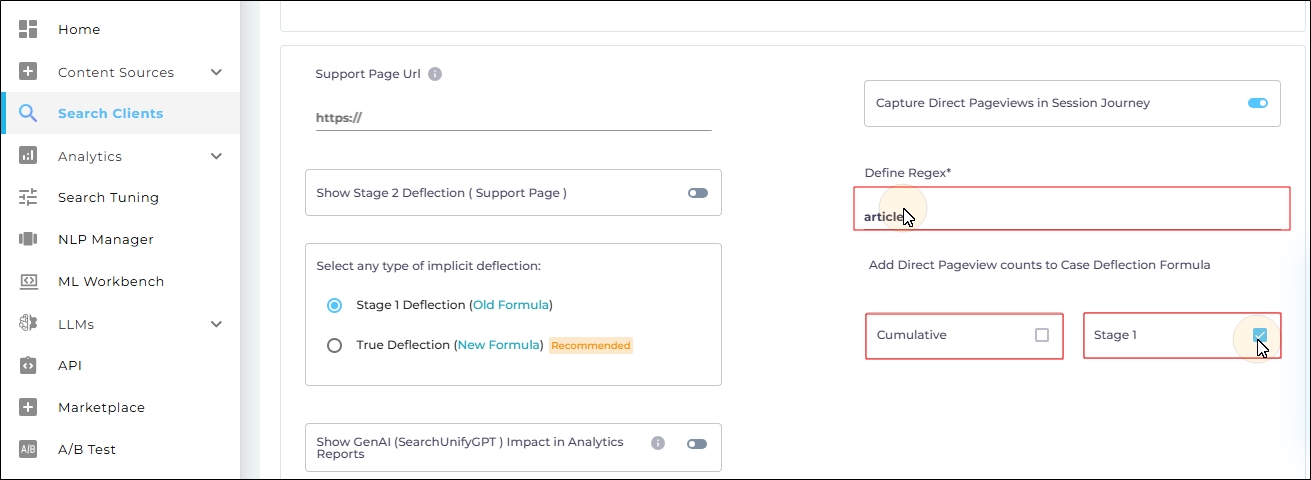
Two new fields will be displayed:
-
Define Regex: Enter the regex pattern for the pages which, if access without search, are counted in direct pageviews. Examples:
Salesforce:
<SF_community_address/article/{{URL Field}}Other search clients:
./article -
Add Direct Pageview counts to Case Deflection Formula: This section offers two checkboxes.
-
Stage 1: To view the impact of Direct Pageviews on stage one case deflection, check Stage 1.
-
Cumulative: To view the impact of Direct Pageviews on cumulative case deflection, check Cumulative. The button is disabled unless Support Page URL and Show Stage 2 Deflection ( Support Page ) are turned on.
-
-
-
Scroll down and click Save.