

Track Case Deflection with Support Page URL
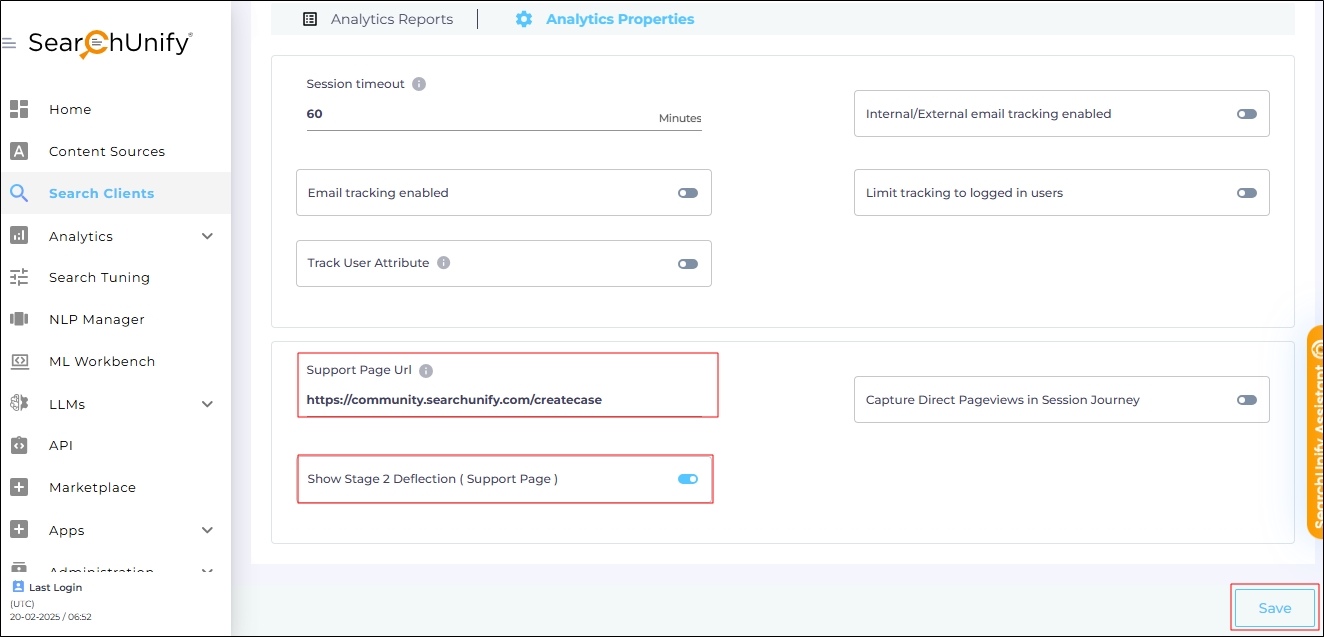
The Support Page URL setting in Search Clients > Edit > Analytics Settings > Analytics Properties allows you to define the URL where users can create a case or contact support.
When a search client is integrated with your support page, it suggests helpful articles when a user begins logging a case. If the user finds an article useful but decides not to create a case, this is considered Stage 2 Case Deflection. It is captured in the Session Analytics Overview report, provided the Show Stage 2 Deflection (Support Page) setting is enabled.
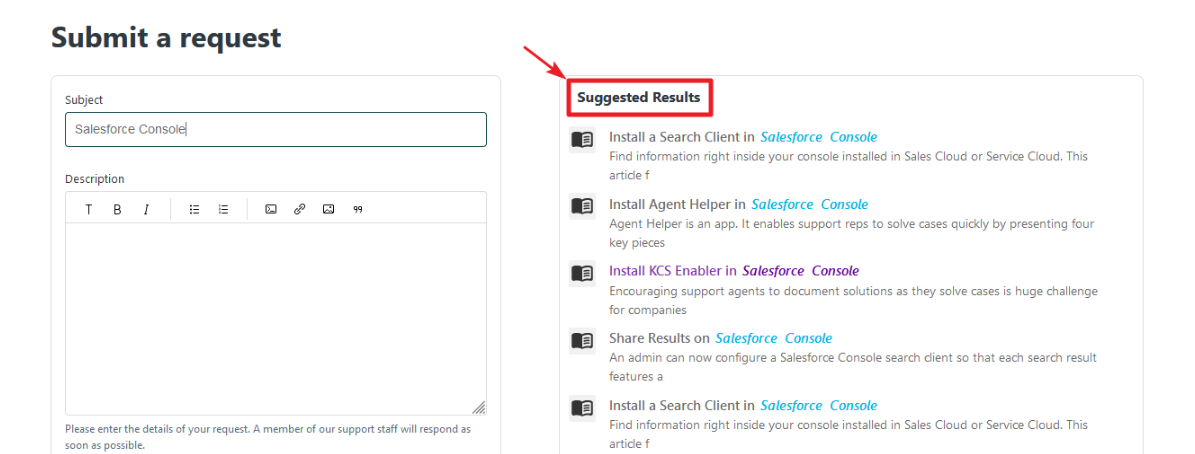
Fig. A snapshot of a Support Page with an embedded search client. The user is trying to log a case on the left and the search suggestions are displayed on the right.
Configure Support Page URL and Activate Stage 2 Case Deflection
-
Navigate to Search Clients > Edit > Analytics Settings > Analytics Properties.
-
Enter the web address of your support page in the Support Page URL field.
Note: If your company has multiple support pages, enter a regex pattern in the Support Page URL field to track case deflection across all of them.
-
Toggle on Show Stage 2 Deflection ( Support Page ).
-
Scroll down and click Save to apply changes.