

Email tracking enabled: Map Session IDs with Emails
The Email tacking enabled setting in Search Clients > Edit > Analytics Settings > Analytics Properties allows you to determine whether user email IDs are displayed in the Session Tracking Details report.
When this setting is enabled, the system maps each session ID to the user’s email address only if the user is logged in while performing the search.
For users who are not logged in, email IDs are not captured. In such cases, the Email column in the Session Tracking Details report will display a blank value.
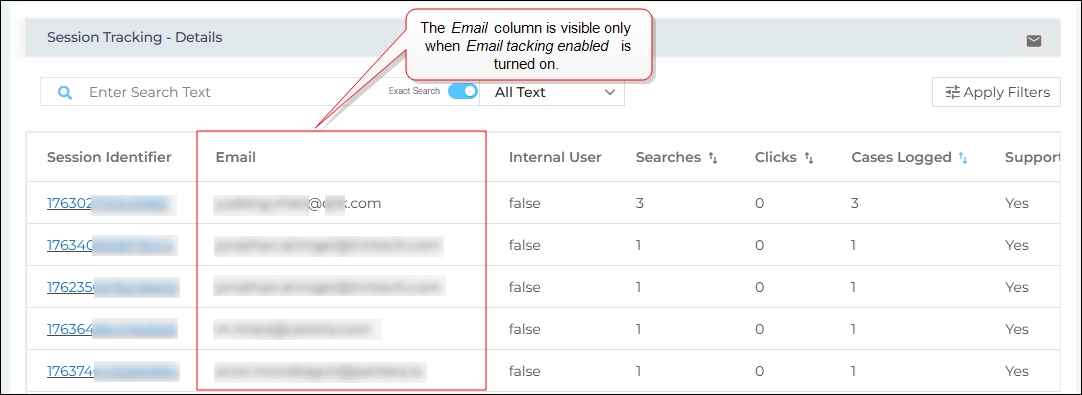
Configure Email tacking enabled
-
Navigate to Search Clients > Edit > Analytics Settings > Analytics Properties.
-
Toggle Email tracking enabled to the right to display the email IDs linked with each session in the Session Tracking Details report.
Note: If you are on the Q3 ’25 or an earlier release, you must install the Email Tracking app from the Apps section to view the Email Tracking Enabled toggle. The Apps section was retired in the Q4 ’25 release.
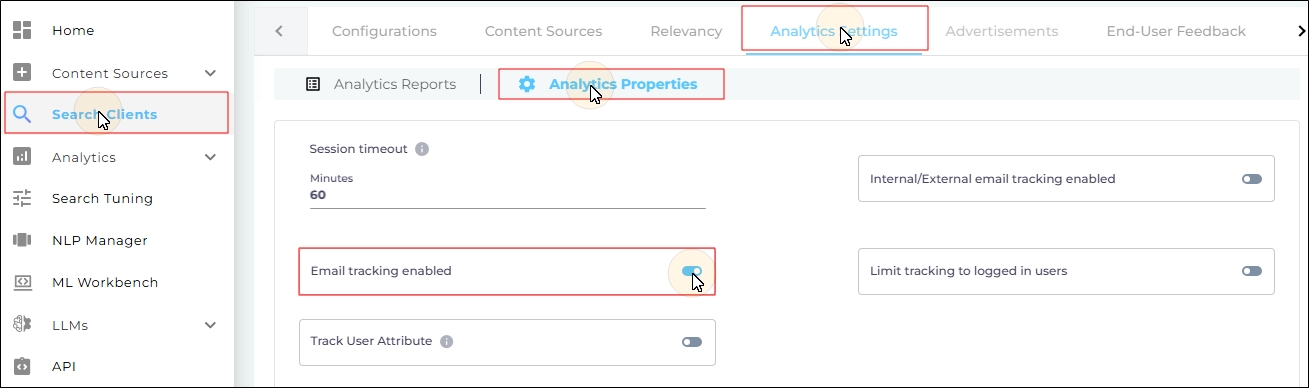
- Scroll down and click Save to apply changes.