

Knowledge Graph
This is a configuration in Search Clients > Edit > Configurations. To read about other configurations available under this tab, return to Basic Search Client Configurations.
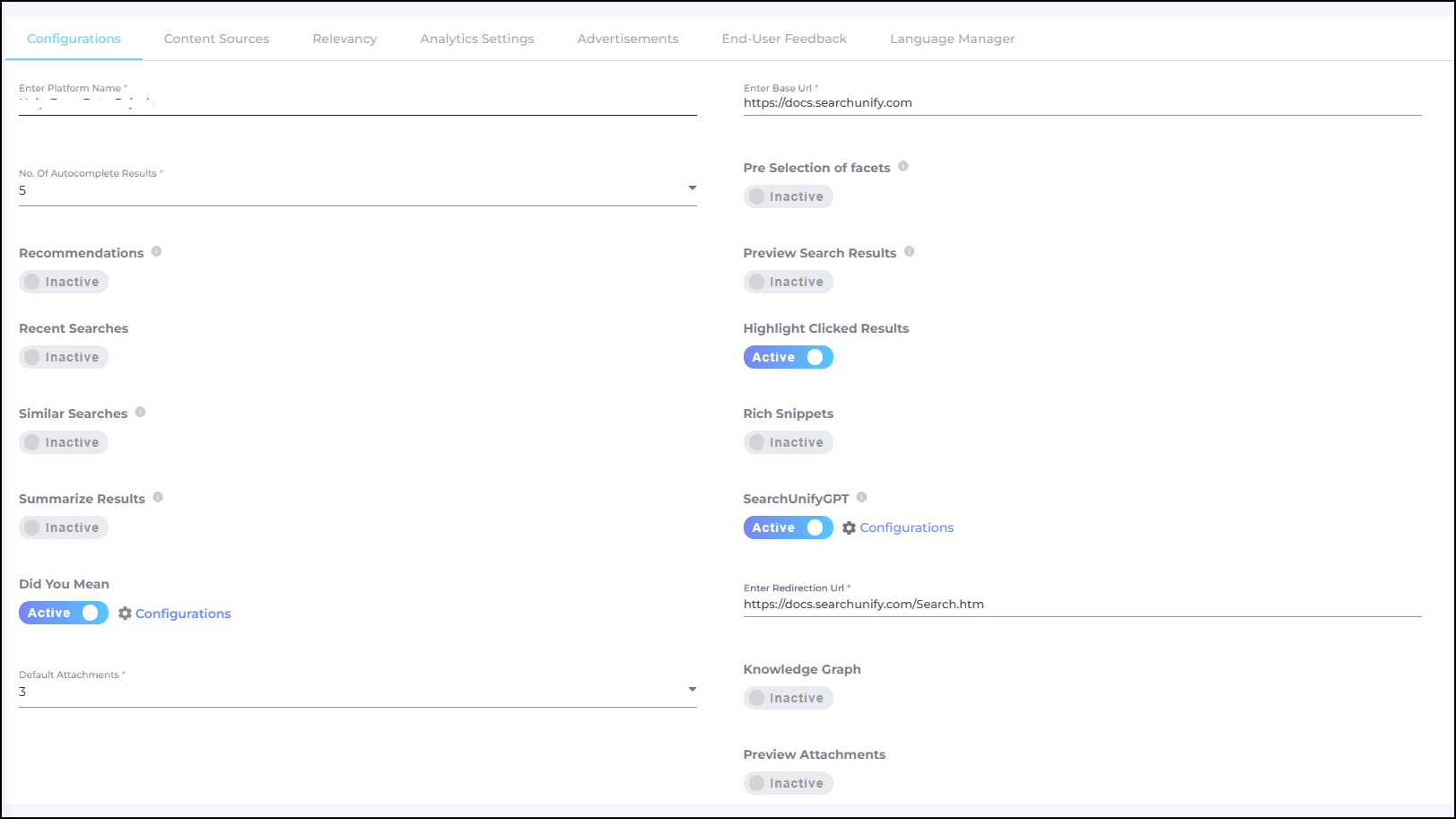
Fig. A snapshot of the Configurations tab in Search Clients.
Knowledge Graph
Knowledge Graph provides answers before a user has clicked a result and suggests related documents for further research. Knowledge Graph has two features: MetaData Graph and Related Tiles. An admin can display both or just one of them.

Fig. A snapshot of the MetaData Graph and Related Tiles on a search client.
To use Knowledge Graph, toggle it on.
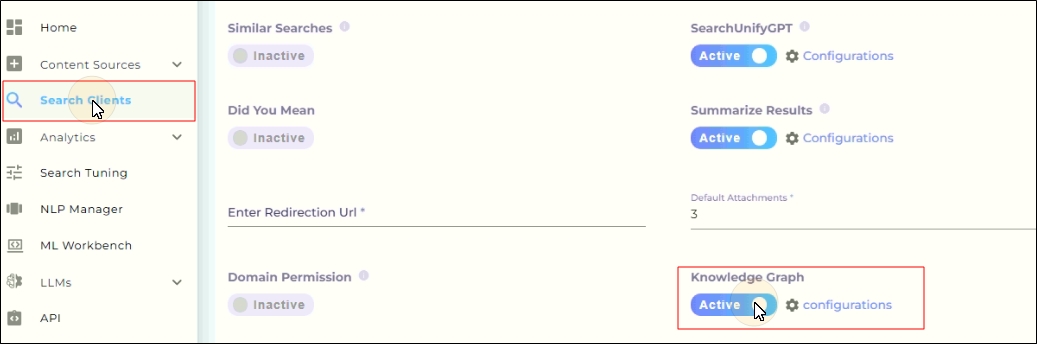
Fig. A snapshot of the Knowledge Graph toggle.
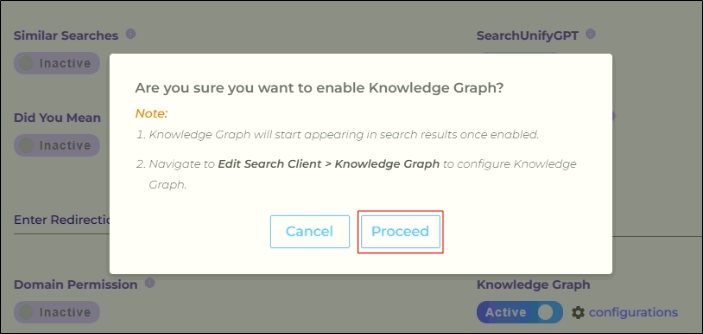
A dialog with the following question is displayed: Are you sure you want to enable Knowledge Graph?
Click Proceed.
Now a new tab will be displayed in Search Clients > Edit > Knowledge Graph.
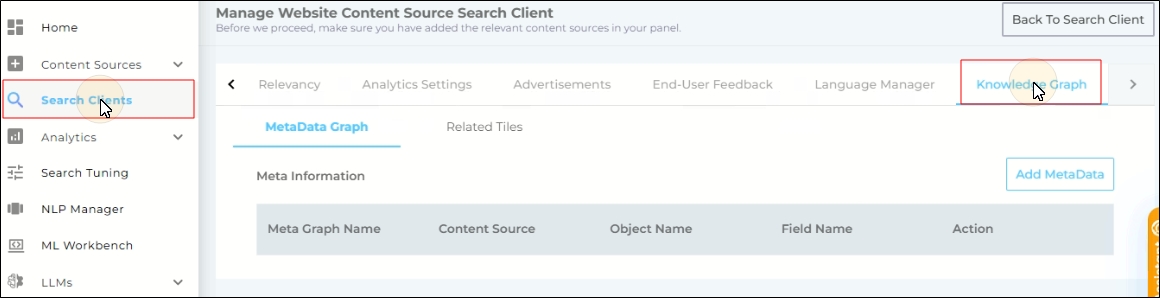
Configure MetaData Graph
MetaData Graph captures the top result and furnishes extra details about the result. As an admin, you decide when Meta Data Graph is triggered and what data it presents.
Specify a Trigger
Meta Data Graph is triggered when a search term matches a datum from a content field. Admins can select the content field.
- Go to Search Clients > Edit > Knowledge Graph > Metadata Graph.
Click Add Metadata.
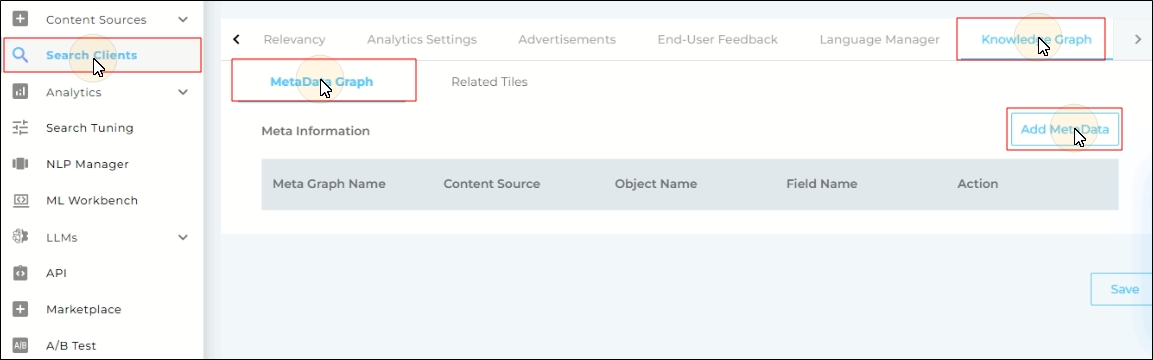
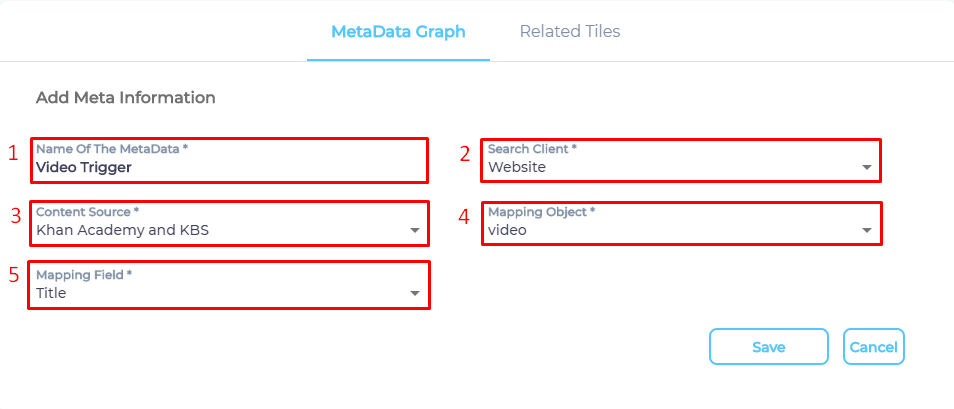
- Enter the details:
- Name Of The MetaData: Give a name.
- Search Client: Pick the search client for which you have enabled Knowledge Graph.
- Content Source: Select a content source connected with the search client.
- Mapping Object: It is a content type. Select one mapping object. Some content sources, such as YouTube, have only one mapping object,
video. While others, such as Salesforce, support hundreds. - Mapping Field. It is a content field. When a search term matches a value from a mapping field, it triggers Meta Data Graph. A
titleis usually a recommended mapping field.
- Press Save.
Repeat the entire process to add more than one trigger.
Select Data For Display
It is essential to have at least two values in Meta Data Graph. The upper limit is the number of mapping fields in the selected mapping object.
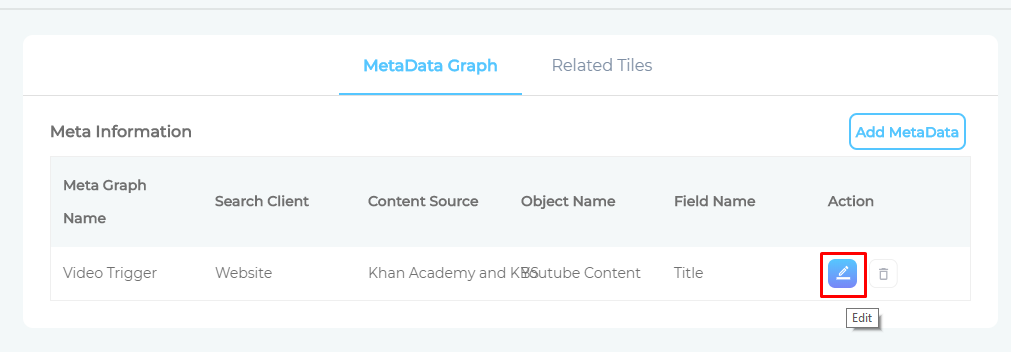
- Click
 to open data settings.
- Use the dropdowns to select mapping fields for Title, Sub Title, Description, and Image. The mapping field names do not have to match Meta Data Graph names. You can see
User Idselected in Sub Title in the image. It works because Meta Data Graph names.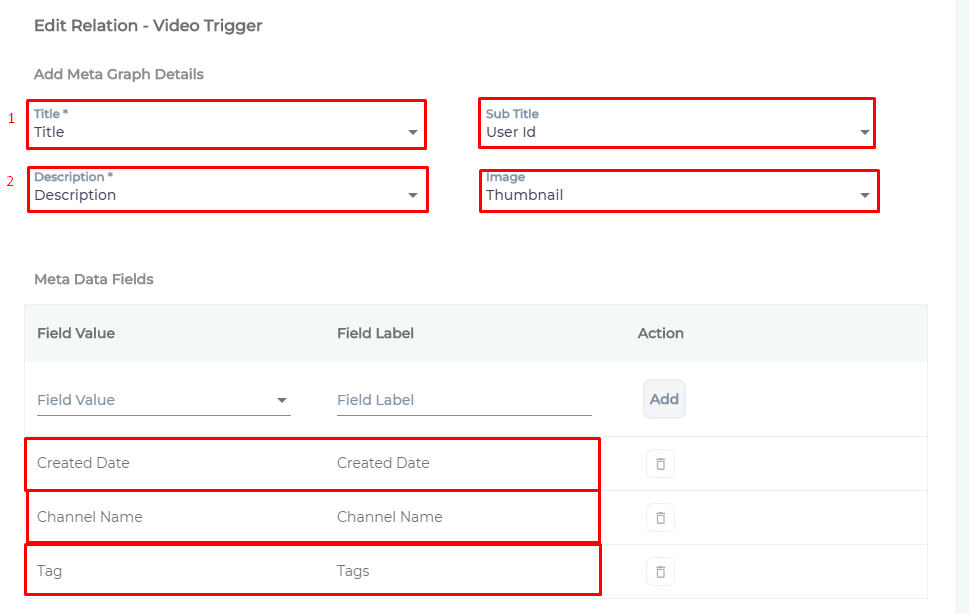
- Press Save.
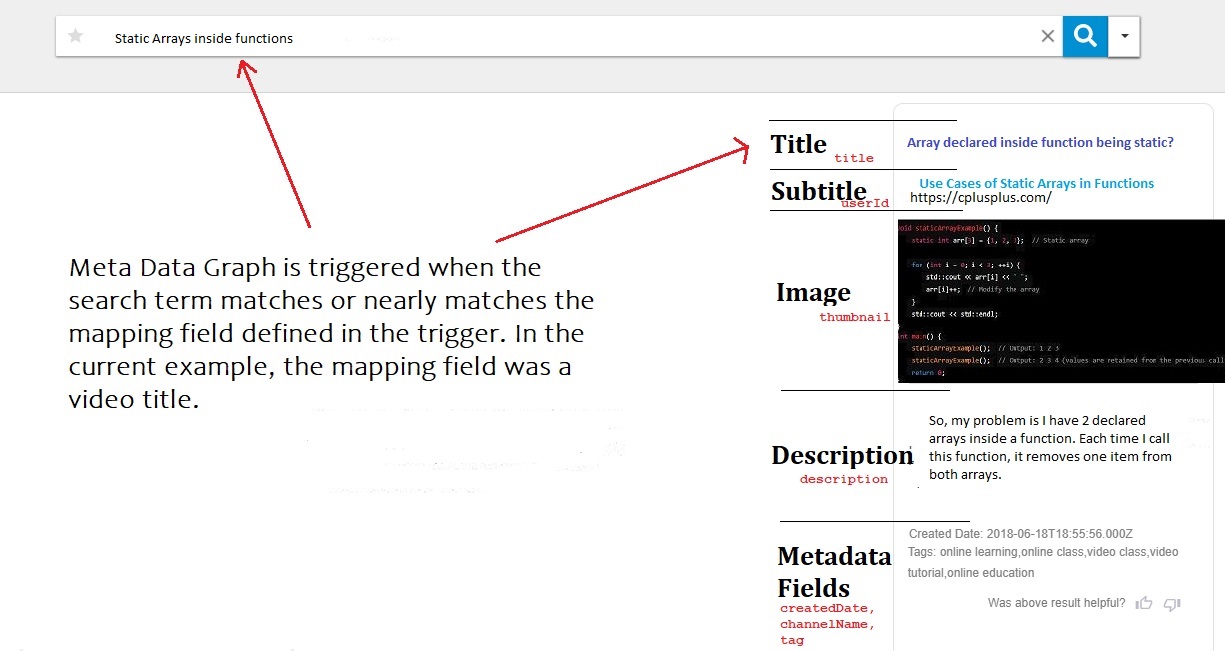
Fig. A snapshot of a Metadata graph on a search client.
Related Tiles
Related Tiles fetches a list of documents similar to the top result. The similarity is measured by analyzing mapper fields , which an admin selects.
Before the mapper fields are selected, an admin defines source and destination content sources, which are usually the same.
Define Source and Destination Content Sources
- Go to Search Clients > Edit > Knowledge Graph > Metadata Graph. Click Add Relation.
- Enter the details.
- Relation Name: Enter any name.
- Search Client: Pick the search client for which you have enabled Knowledge Graph.
- Content Source (Source): Select a content source.
- Content Source (Destination): Select (usually) the same content source.
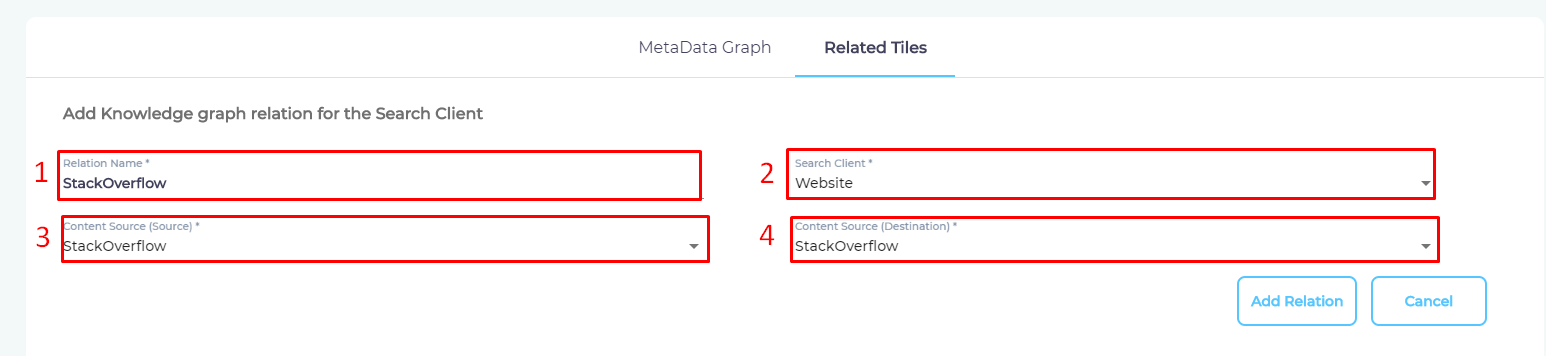
- Click Add Relation to save.
Next, the mapper fields are specified. While specifying mapper fields, an admin also decides a heading for the list of related documents and the hypertext for each document.
Specify Source and Destination Mapper Fields
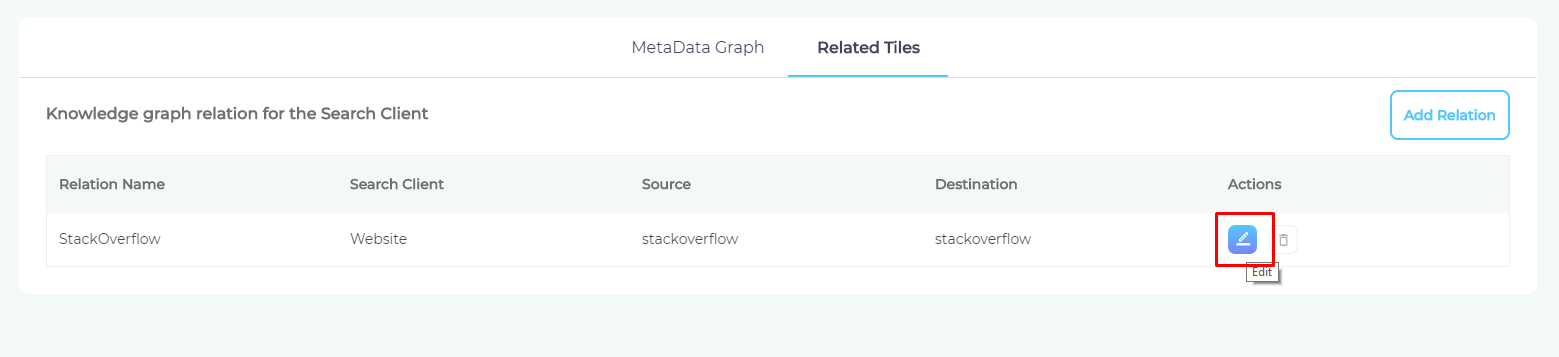
- Click to view existing mappings or create new ones.
- Click Add Relation.
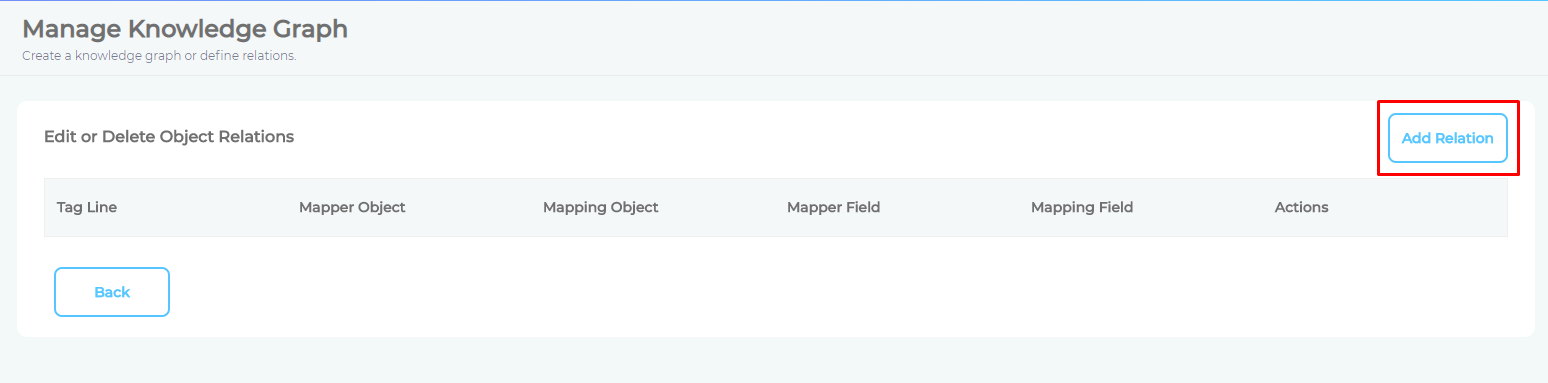
- Enter the details:
- Object -> Mapper Object: A content type from the source content field.
- Object -> Mapping Object. A content type from the destination content field.
- Field -> Mapper Field (left). A content field that the search term will be compared against.
- Field -> Mapper Field (right). A content field from which similar values will be found.
- Tag Line: A heading for the list of similar documents. It's usually "Related Links."
- Heading 1. The list is a collection of hyperlinks. Select the value to show as the hypertext.
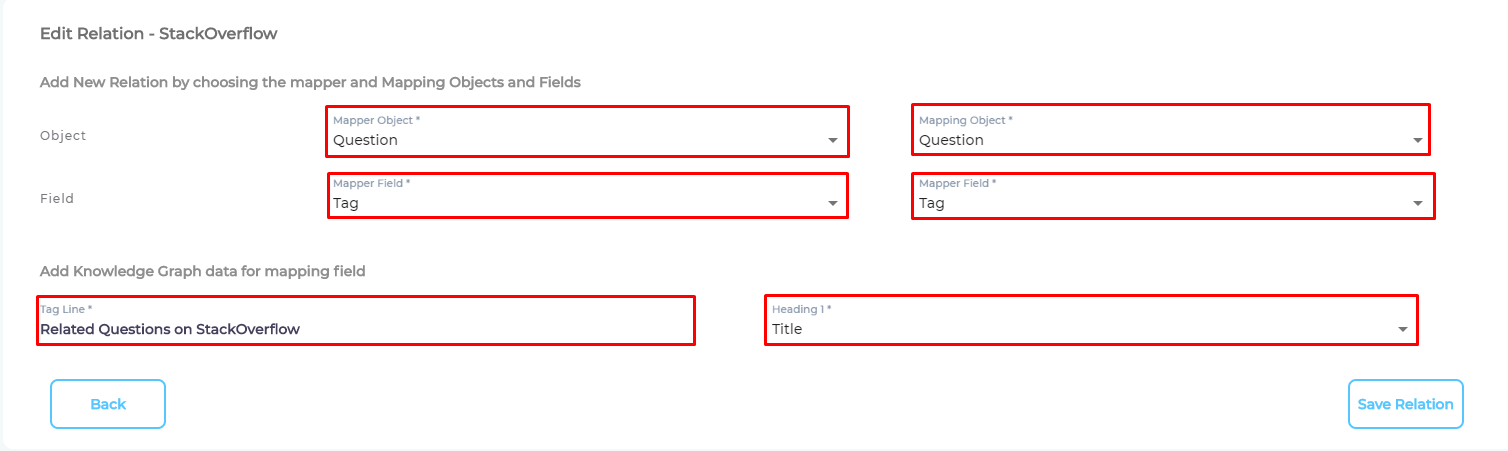
- Click Save Relation.

Fig. A snapshot of Related Tiles graph on a search client.