Agent Scorecard and Team Overview
The Agent Scorecard helps support agents and managers understand performance based on Case QA evaluations.
-
It gives agents a clear view of overall performance score, parameter-level insights, next actions, and a detailed performance breakdown to the agents.
-
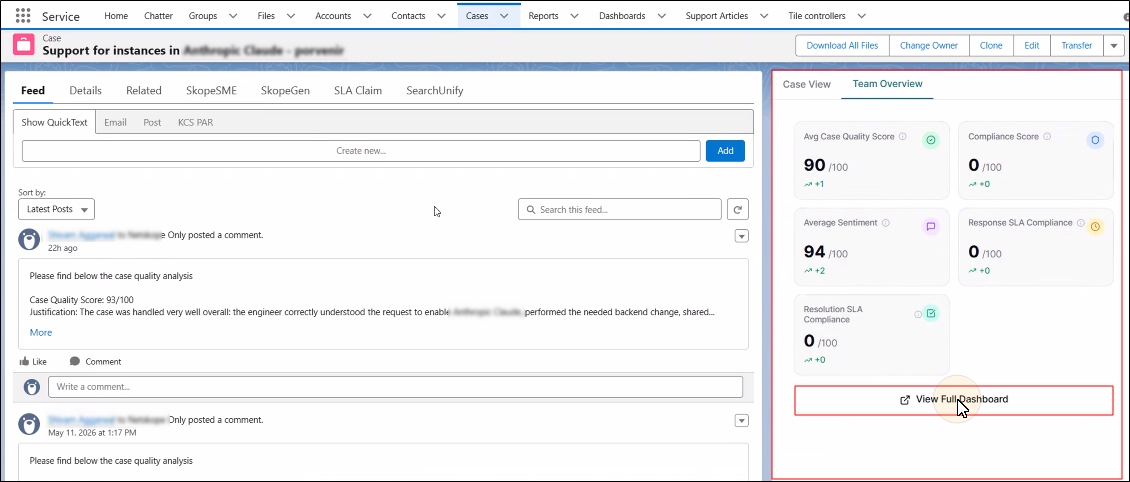
Support managers get an overview of team performance (teams are defined by CRM configuration) to monitor quality and coach agents under their CRM team setup.
Case View
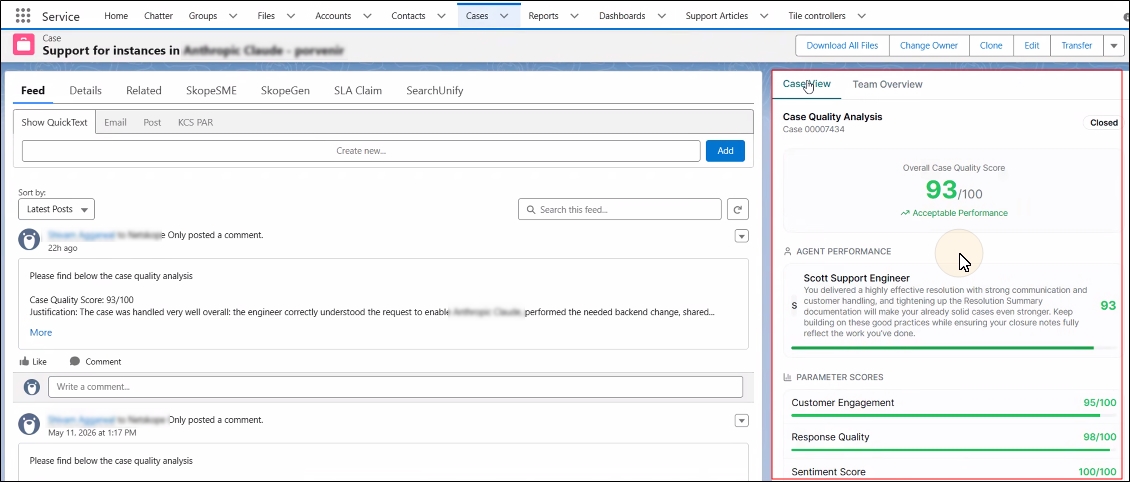
The Case Details tab is open by default when an agent is working on a case. Until the case is closed, the tab displays "No QA Data Available." After a case is closed, quality metrics appear in the tab; the support agent can view them in the Case View tab.
The tab displays the Overall Case Quality Score and the score for parameters configured by their admin.
Team Overview
Support managers with the requisite permissions can view their teammates' scores (teams are defined in the CRM). To view team scores, click Team Overview. The tab displays scores for parameters configured by your admin. Click View Full Dashboard to see instance-wide analytics.