
Agent Score Card
The Agent Score Card is a real-time, filterable dashboard for support managers that helps them view each agent’s performance, quality, and productivity. Using the Score Card data, support managers can implement targeted coaching and improve overall support outcomes.
Navigation
-
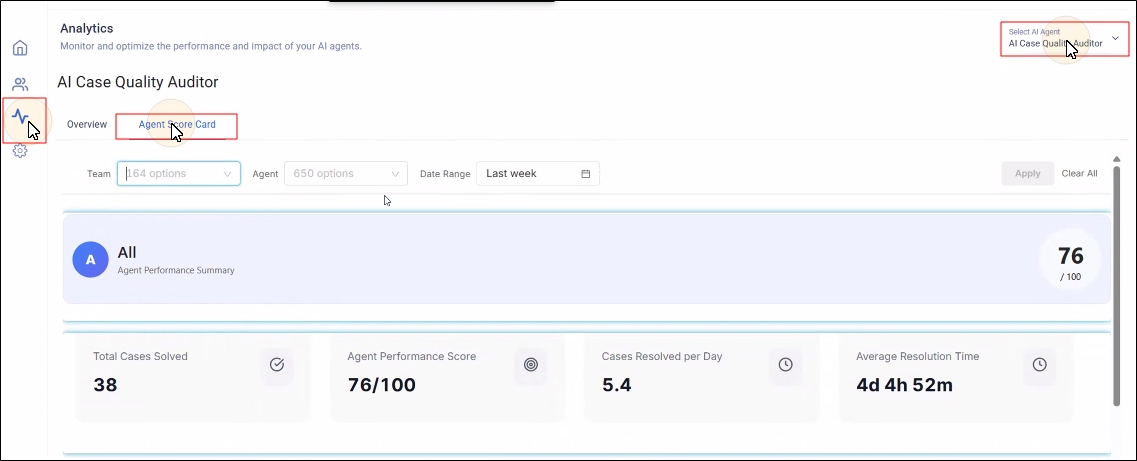
Log into your instance.
-
Go to Analytics.
-
Select AI Case Quality Auditor from Select AI Agent.
-
Click on Agent Score Card.
Filters
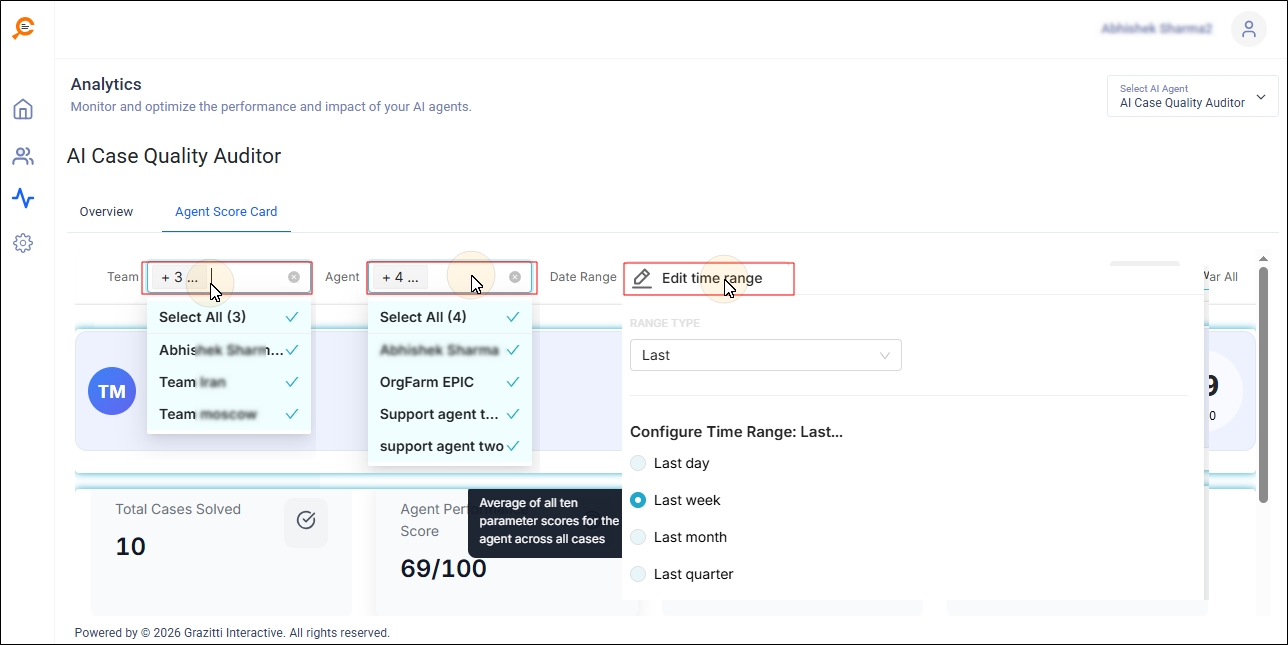
Support managers can filter all Agent Score Card reports by date, team (or product), and individual agents.
-
Date: ranges include Last 7 Days, Last 30 Days, Last Quarter, and custom ranges; the default is Last 30 Days (all cases closed in that period are included).
-
Team or Product: track data for assigned user groups (teams, specialists, or other groups).
-
Agent: view detailed data for a single agent; by default, data for all agents is shown.
Reports
The following reports are available in Agent Score Card.
Agent Summary
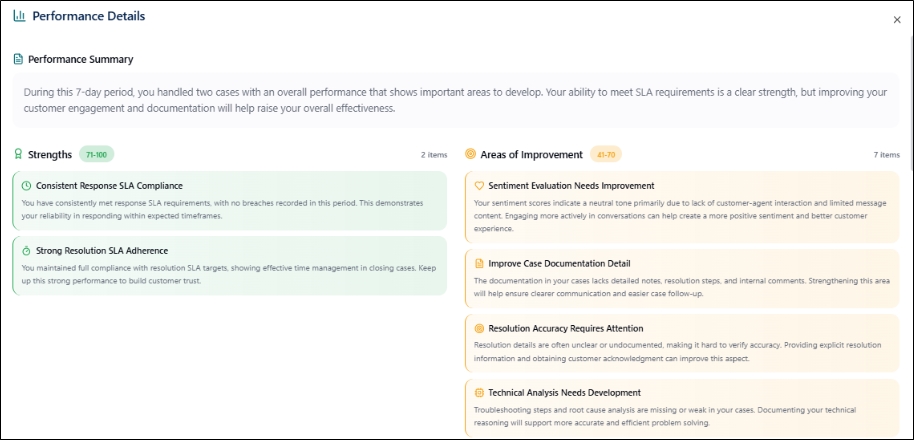
Click Agent Summary to review performance details for the selected agent or team. The summary includes an overview of the agent’s or team’s work, strengths, areas for improvement, parameter overview, and case details.
KPI Cards
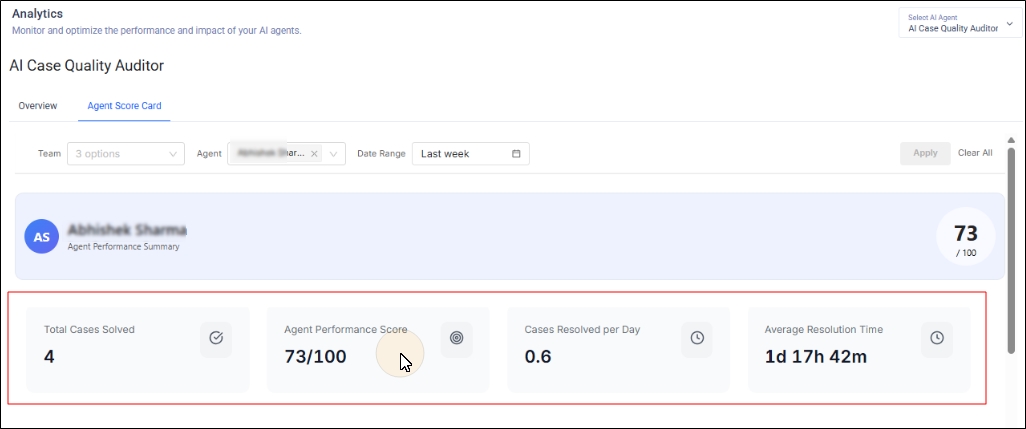
The KPI cards contain information on four parameters:
-
Total Cases Solved: the total number of cases successfully closed by the agent during the selected period.
-
Agent Performance Score: the average of all ten parameter scores for the agent across all cases.
-
Cases Resolved per Day: the average number of cases resolved per working day.
-
Average Resolution Time: the average time from first assignment to resolution across closed cases.
Trend Graphs
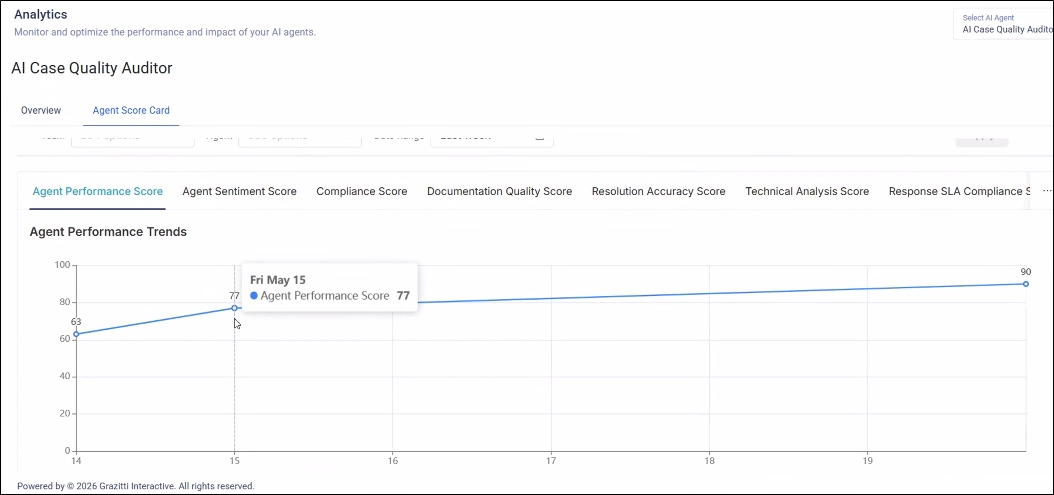
This section contains the agent or team's performance on the selected parameters. Support managers can select the parameters during configuration.
Case Table
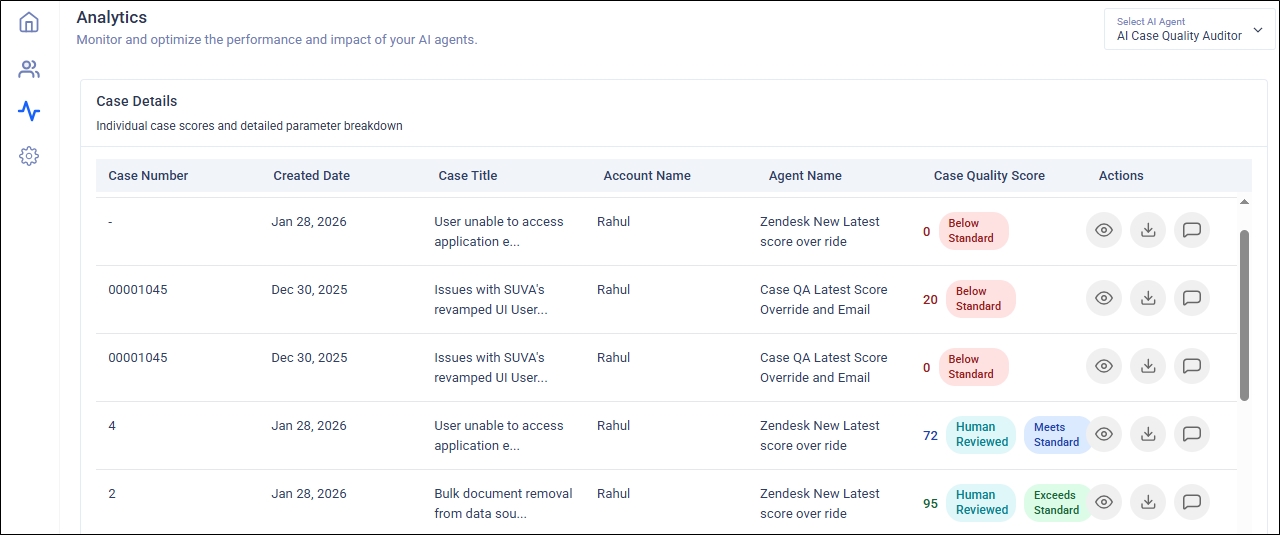
This section contains information on cases handled by the agent. See the Analytics doc for more details on the Analytics doc.
Recent Configuration Changes
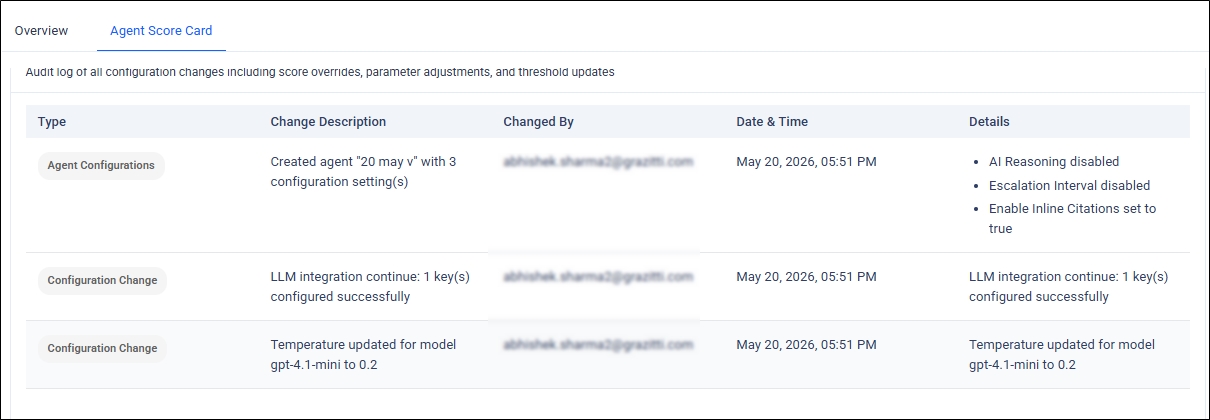
This section contains an audit log of all configuration changes, including score overrides, parameter adjustments, and threshold updates.