

Limit tracking to logged in users
The Limit tracking to logged in users setting in Search Clients > Edit > Analytics Settings > Analytics Properties allows you to collect Search Analytics data exclusively for Internal Users. When this configuration is enabled, the Search User filter in Search Analytics will show no data for the External User or External-Only filter values.
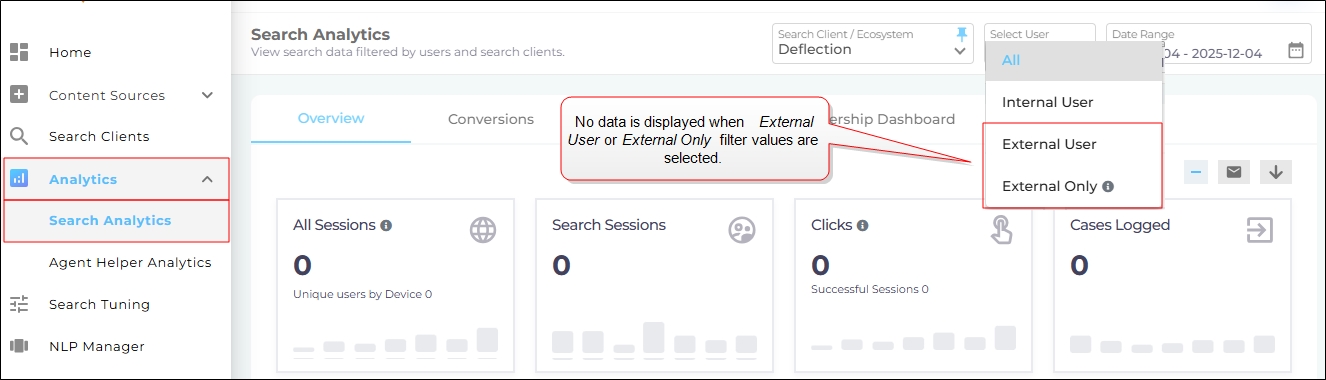
Fig. A snapshot of the Search User filter when Limit tracking to logged in users is turned on.
Activate Limit tracking to logged in users
-
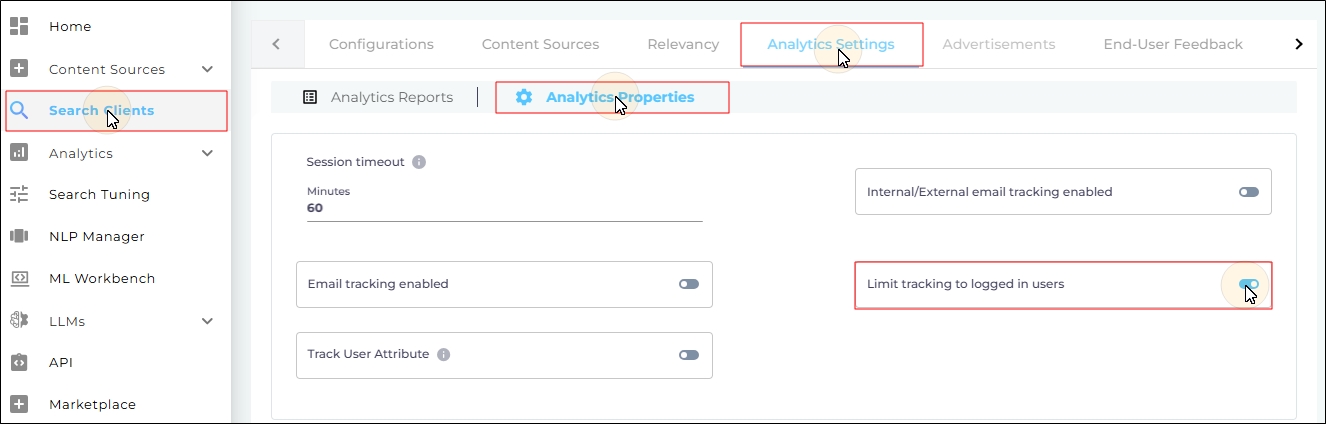
Navigate to Search Clients > Edit > Analytics Settings > Analytics Properties.
-
Toggle Limit tracking to logged in user to the right.
-
Scroll down and click Save to apply changes.